



Install the app
Install doze on a Mac or on Linux, open it once, and let it set up names for your services.
After this page you have the doze app running, and doze working in a terminal.
The app and the command line are one binary. Install the app and you have the
CLI too; everything the app does is also a doze command, for scripts and CI.
Platforms: macOS 14 (Sonoma) or later on Apple Silicon, and Linux on x86-64 and arm64. Intel Macs are not supported.
On a Mac
Section titled “On a Mac”With Homebrew:
brew install --cask doze-dev/tap/dozeThe cask puts Doze.app in Applications and doze on your PATH. Without
Homebrew, download Doze-<version>.dmg from the
releases page and drag Doze to
Applications. The cask and the disk image arrive with the first signed release
of 0.2.
There is also a formula, brew install doze-dev/tap/doze, which installs the
command line alone, for servers and CI. It and the cask cannot be installed
together.
On Linux
Section titled “On Linux”doze comes as a .deb and an .rpm. Each installs doze in /usr/bin, a
launcher entry for the app, and pulls in WebKitGTK for the window:
sudo apt install ./doze_<version>_amd64.deb # Debian, Ubuntusudo dnf install ./doze_<version>_amd64.rpm # FedoraUntil the packages are on the release page, the doze_<version>_linux_amd64.tar.gz
archive there holds the same binary. More on desktops, systemd-resolved and
the password prompt in Linux.
First launch
Section titled “First launch”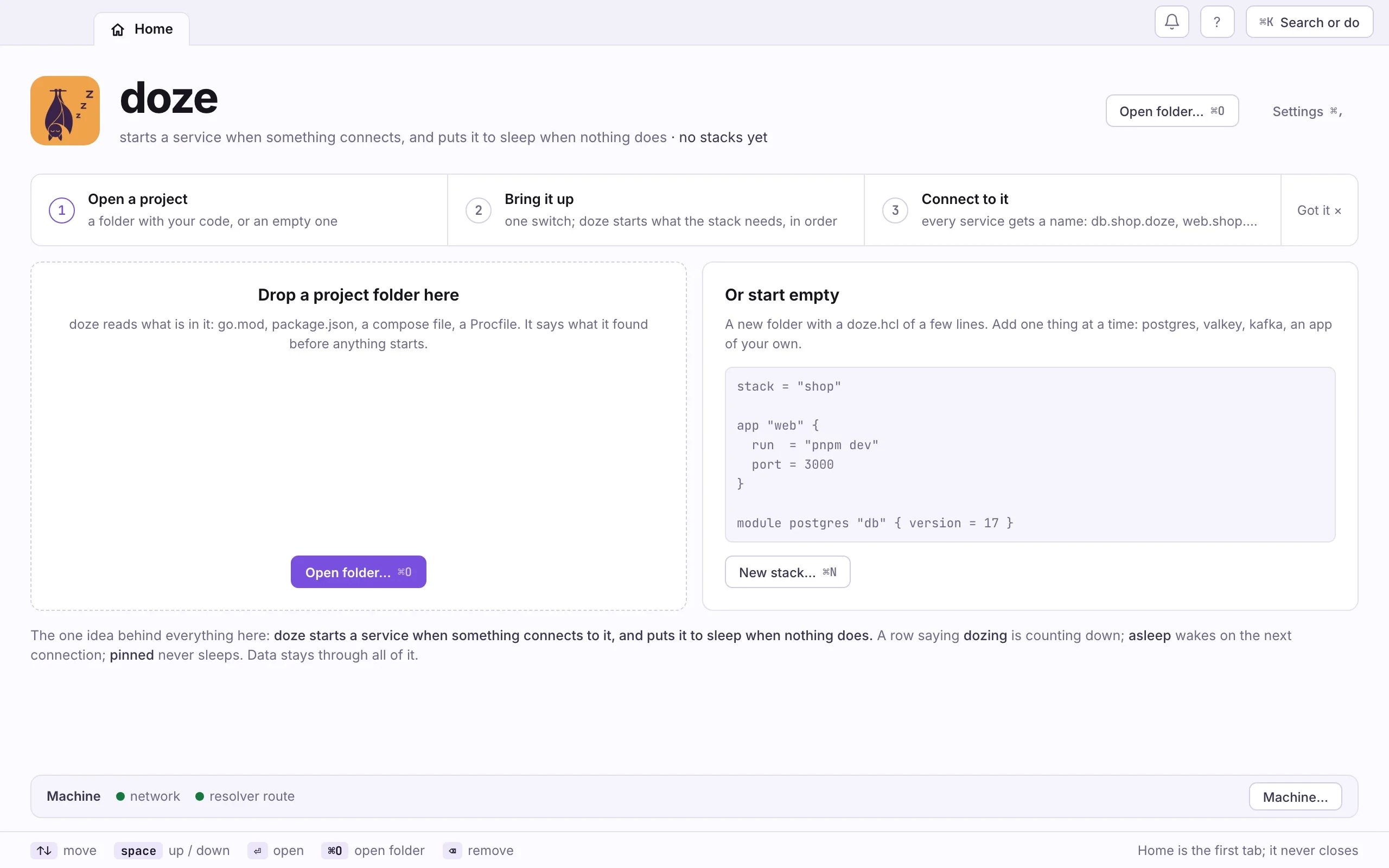
- Open doze from Applications (on Linux, from your app launcher), or type
dozein a terminal. It opens on Home, the first tab, which never closes. - Look at the Machine line at the bottom of the window. When names are not set up yet it shows Set up (one password).
- Press Set up and type your password into the system’s own prompt. That is the one password names need.
doze versiondoze dns-setup --check # what is set up, no passworddoze dns-setup # set it up (one sudo)doze dns-setup --print shows the script before you run it.
What the one password sets up
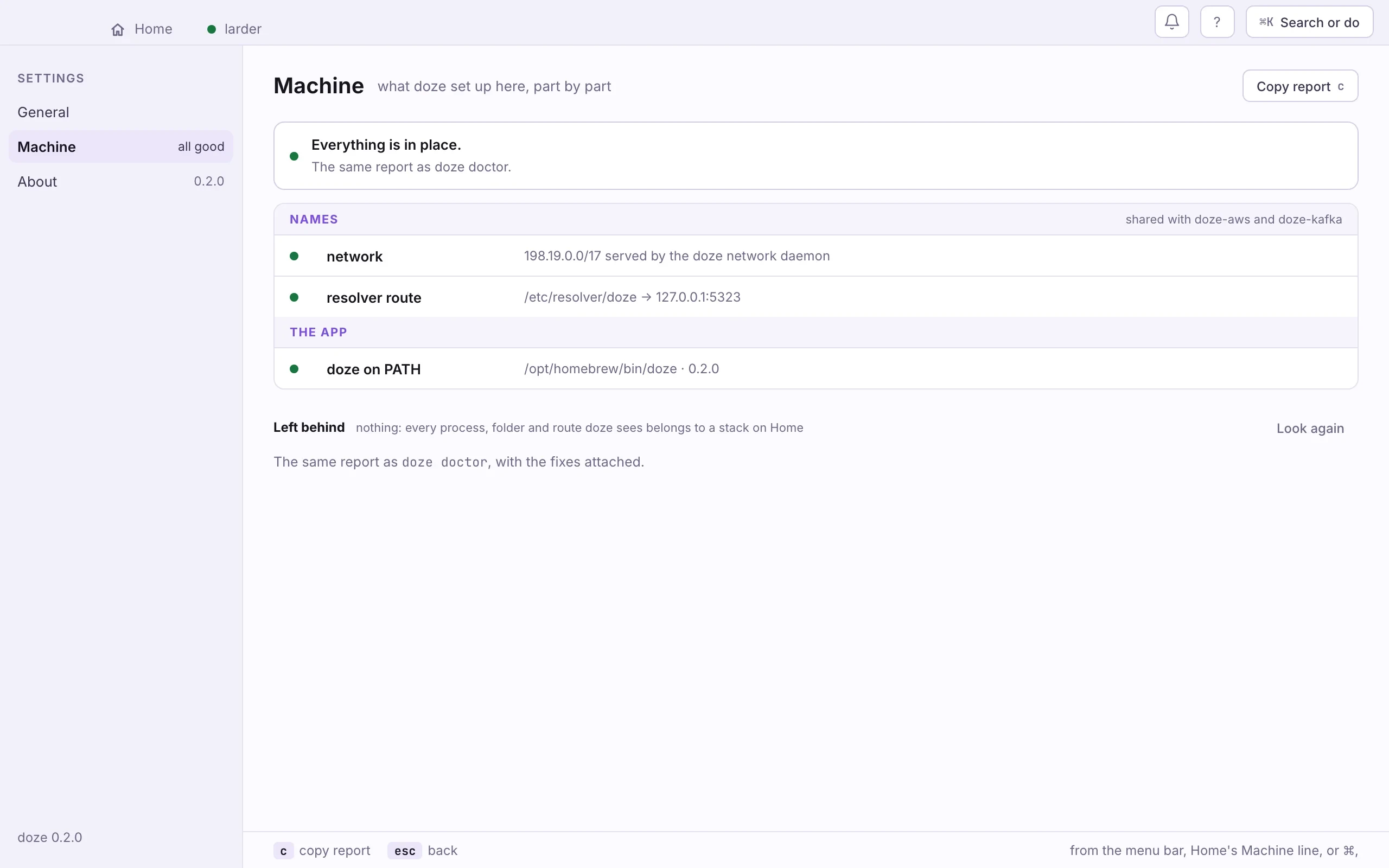
Section titled “What the one password sets up”The prompt installs three things:
- A resolver route.
/etc/resolver/dozesends names under.dozeto doze’s own resolver on127.0.0.1:5323. Sopostgres.larder.dozereaches thepostgresservice of thelarderstack. - A network daemon. On macOS it gives each service a loopback address of its own,
from
198.19.0.0/17, so two services can both listen on port 5432. dozeon yourPATH, if it is not there yet, as a link in/usr/local/bin.
A stack that declares its own domains, such as dev.acme.com, also needs a
local certificate authority. That is a second, separate prompt, the first time
you use one: see Domains and HTTPS.
The setup is shared with doze AWS and doze Kafka: any of them installs it for all. Settings › Machine shows each part and whether it is in place.
Upgrading
Section titled “Upgrading”brew upgrade doze, or the new package. Settings › About says when a
newer doze is out. Running stacks keep running while you upgrade. Upgrading
doze never changes what a project runs: that is pinned in each project’s
doze.lock.
Uninstalling
Section titled “Uninstalling”doze dns-setup --uninstall # remove the resolver route and the network daemondoze trust --remove # in a stack with domains: its routes and the authoritybrew uninstall --cask doze # or remove the deb or rpmrm -rf ~/.doze # every stack's data, and the cached enginesNext: Your first stack.