



Tiles, List, Map and Grid
The four views of a stack's page, what each shows, and when to use which.
On this page
Four views of the same stack. Pick one with the switch at the top, or press 1 to 4. doze remembers the view for each stack.
The stack page
Section titled “The stack page”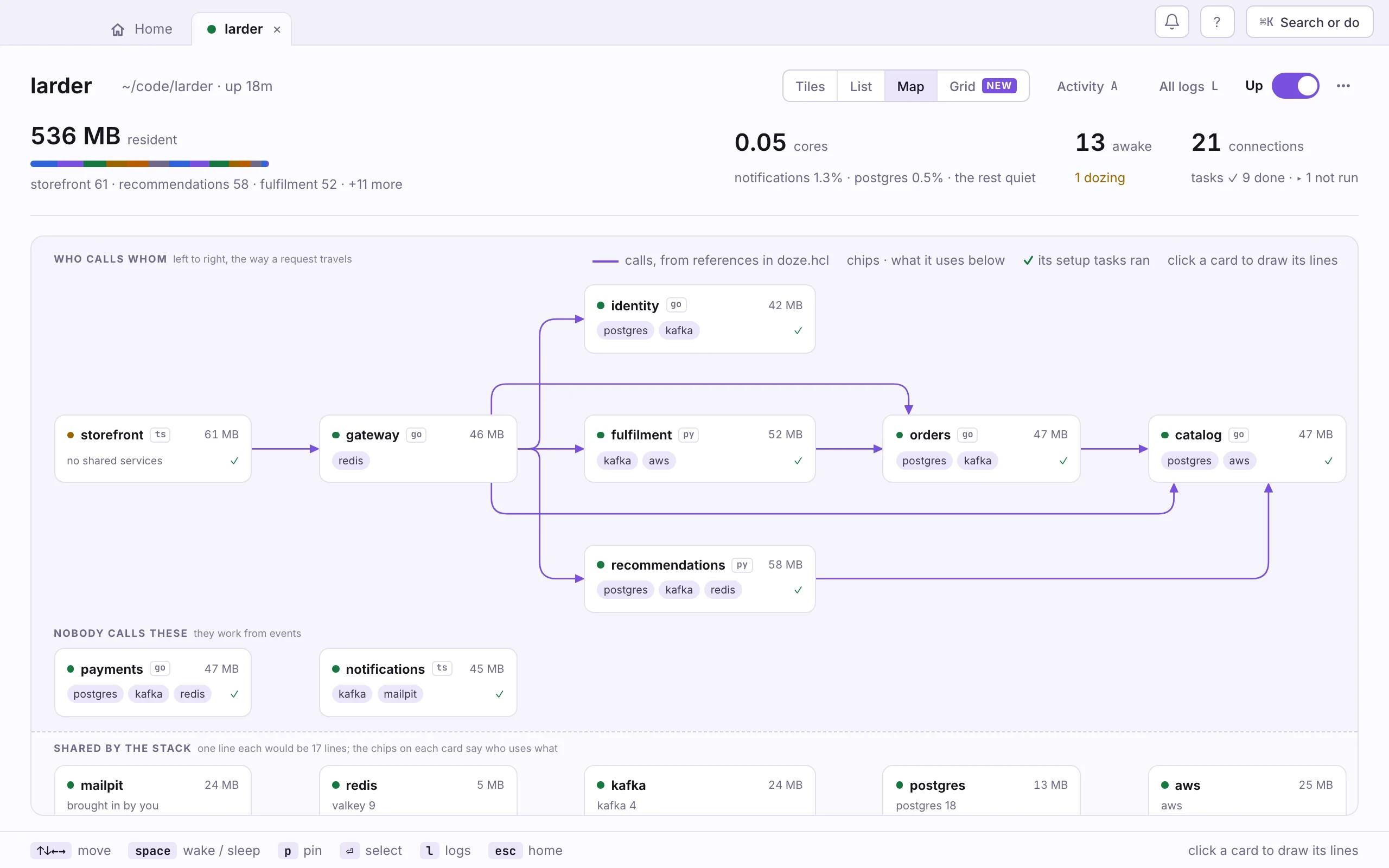
- The view switch. Tiles, List, Map, Grid.
- The stack's switch. Up or down for the whole stack.
- The strip. Memory, CPU, how many are awake, connections, tasks.
- Who calls whom. Left to right, the way a request travels. Lines come from references in doze.hcl.
- Nobody calls these. Services that work from events.
- Shared by the stack. Postgres, Kafka and the rest. The chips on each card say who uses what.
- The keys for this view. They change with the view.
Beside the view switch, Activity (A) reads the stack’s journal over the last hour, day or week: how long each service slept, about how much memory that left free, what woke each one, and what crashed. All logs (L) is every service’s output, merged.
Which view, for what
Section titled “Which view, for what”| View | What it shows | Use it to |
|---|---|---|
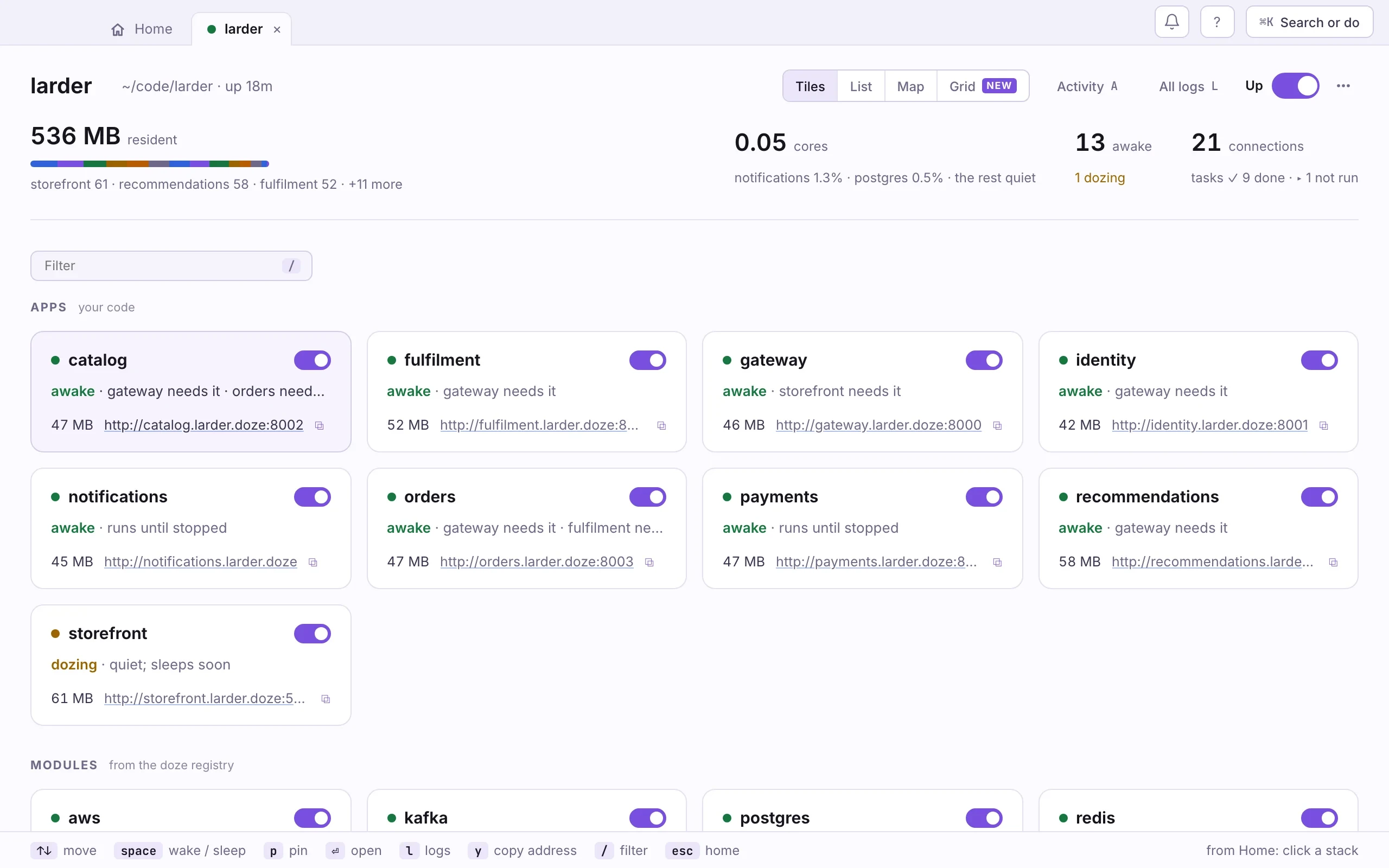
| Tiles 1 | A card per service, with its state, its memory and its address. | See at a glance what is awake. |
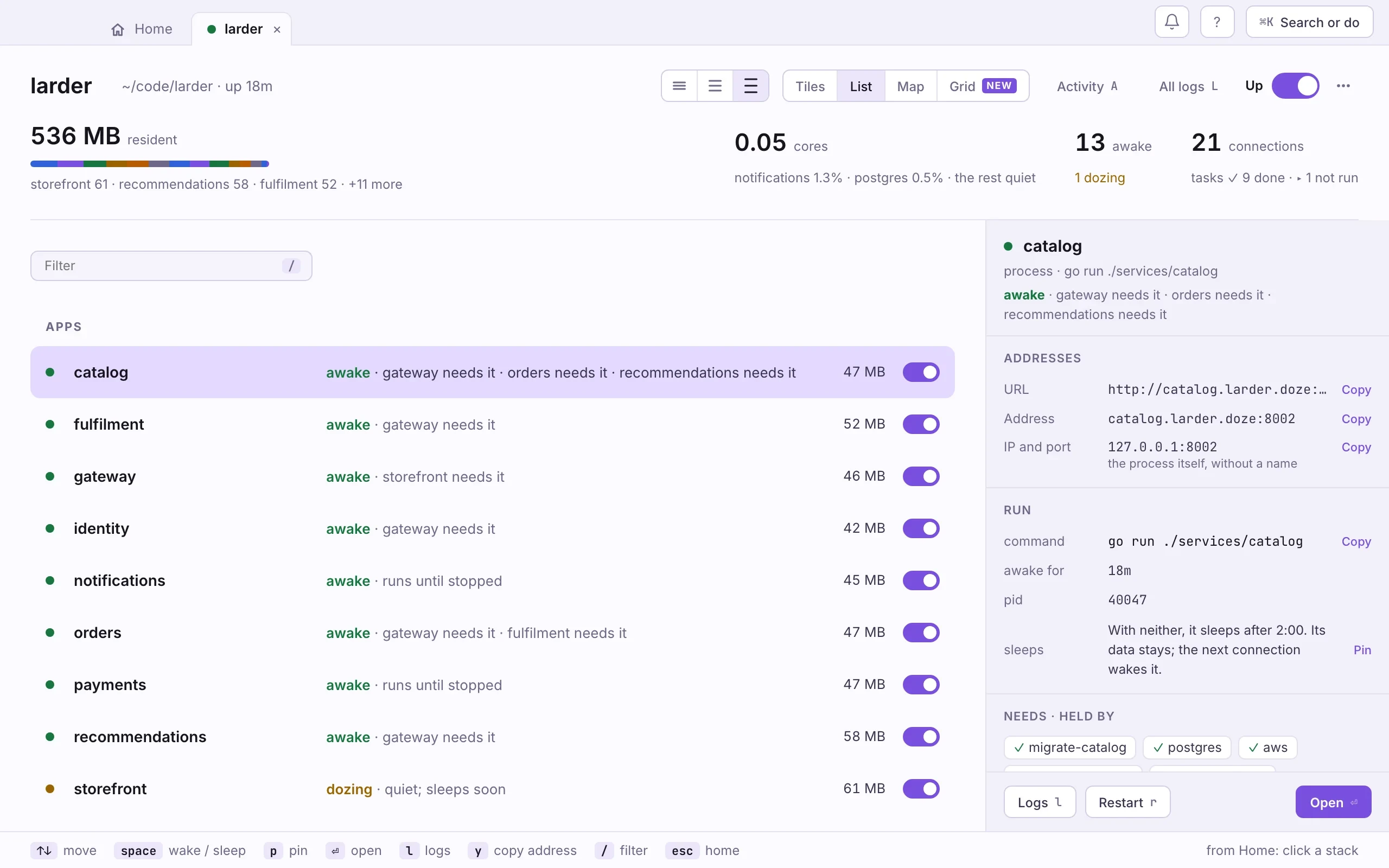
| List 2 | A row per service, and a details pane for the one you select. | Read addresses and details without opening each one. |
| Map 3 | Who calls whom, from references in doze.hcl. Click a card to draw its lines. | Understand a stack you did not write. |
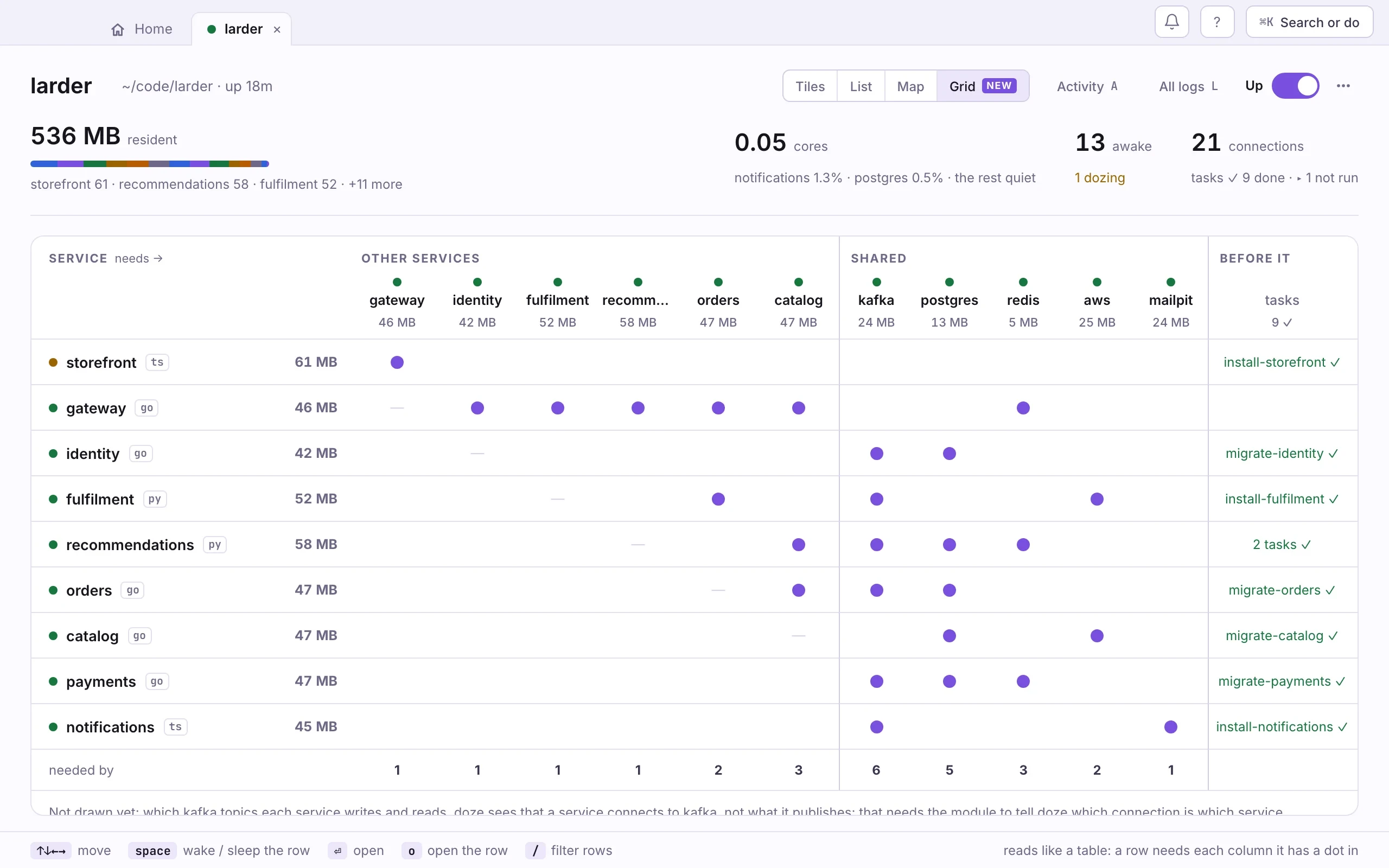
| Grid 4 | The stack as a table: a row needs each column it has a dot in. | Answer “what uses kafka?” down a column. |
Tiles and List group the services the same way: apps (your code), modules (from the doze registry), outside (your own services) and tasks. Every row has a switch: on wakes the service, off puts it to sleep. Putting a service to sleep asks first when something running depends on it.
- 1–4
- Tiles, List, Map, Grid
- ↑ ↓ j k
- move
- space
- wake or sleep the selected one
- ⏎
- open it
- w s
- wake, sleep
- p
- pin it awake
- r
- restart it
- l
- its logs
- y
- copy its address
- /
- filter
- A L
- Activity, all logs
In the Map the arrow keys move between cards the way they are drawn. In the Grid, an arrow key or ⏎ moves into the table, and / filters its rows. Every key is listed under ⌘K and keys.
In a terminal
Section titled “In a terminal”doze status # every service, its state and memorydoze status --graph # the dependency treeNext: Inside a service.