
 doze AWS
Wakes AWS on your laptop. No account, no bill.
Part of the doze family. Works alone.
Stop waiting on a deploy to find out if your Lambda works. Stop sharing one dev account with the whole team. 17 services in one Go binary, speaking the real wire protocols, so your SDK, the AWS CLI, SAM and CDK point at it unchanged. No Docker, no JVM.
$ doze-aws

  doze-aws is up.

    endpoint  http://127.0.0.1:4566
    console   http://127.0.0.1:4566/_console/
    serving   17 services in us-east-1

    eval "$(doze-aws env)"   point this shell at it
    doze-aws doctor          when something looks wrong

$ aws sts get-caller-identity
{ "Account": "000000000000", … }
It opens on your own traffic.
Every call your app makes, newest first, with what it was on, how AWS would have answered, and how long it took. Real AWS cannot show you this, because it is not sitting between your code and the answer.
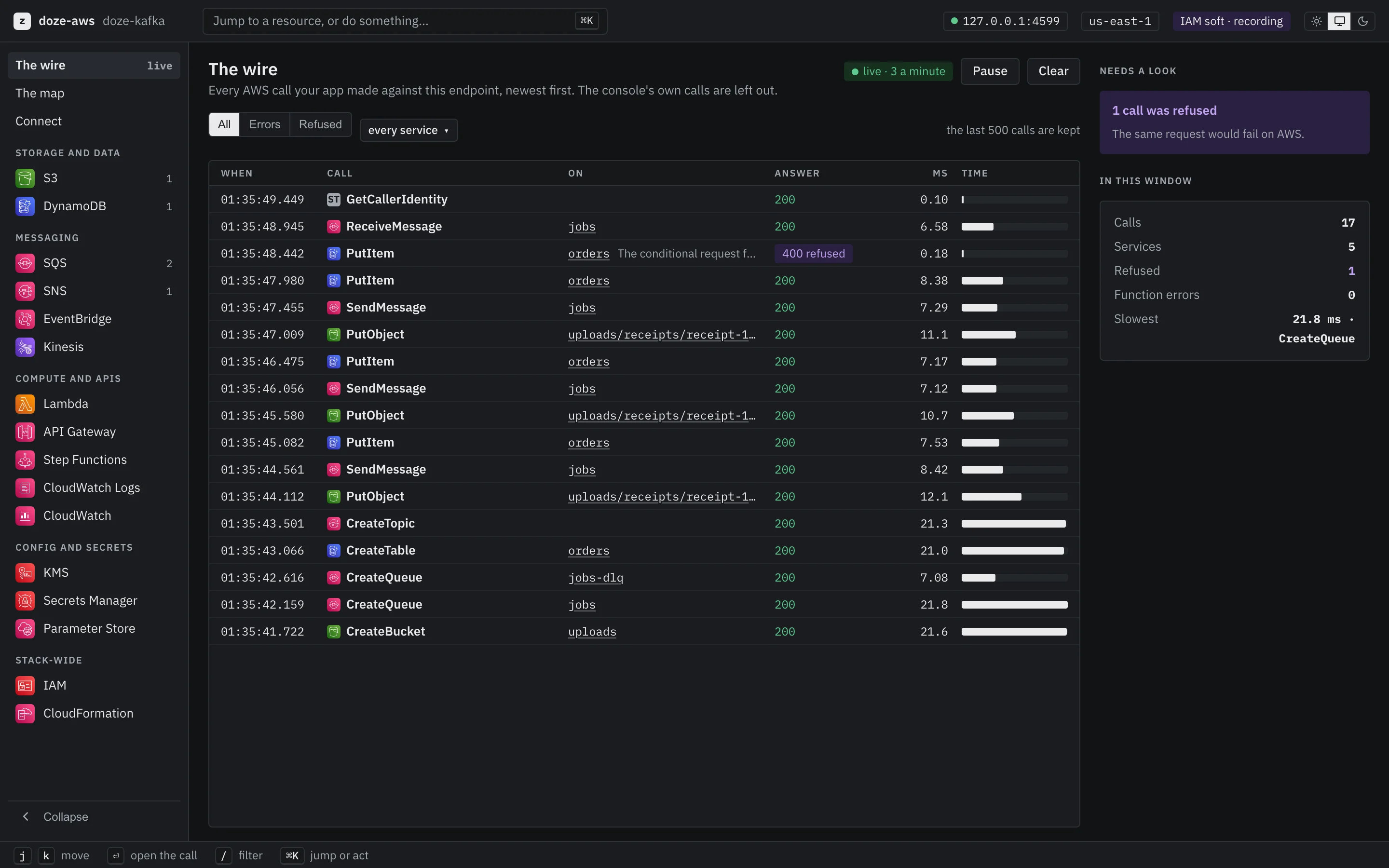
The real console, from its demo stack: your traffic, not a diagram. re-capture with Larder
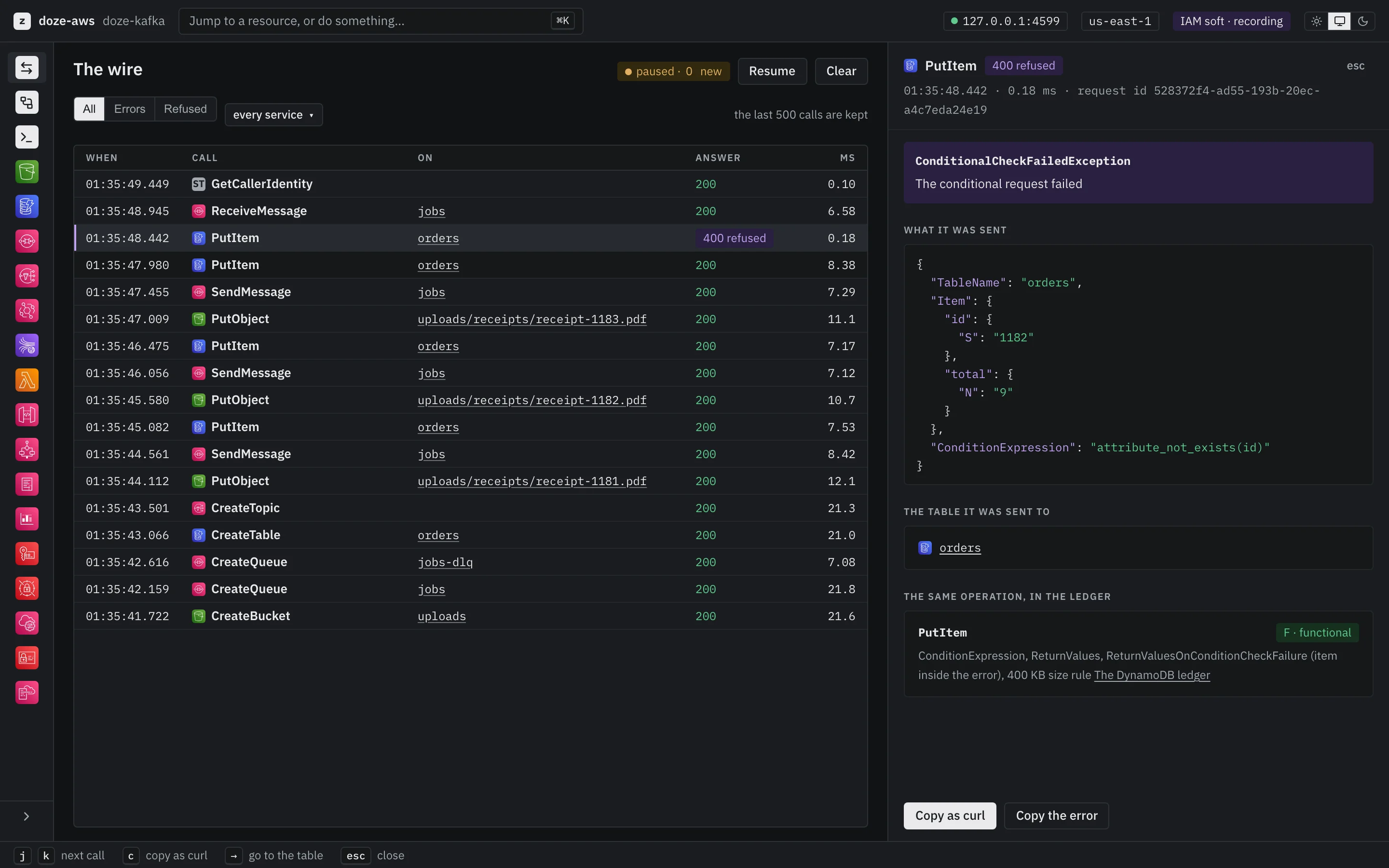
Every service gets a real console.
Browse buckets, peek at queues, query tables, invoke functions and read their logs, follow a state machine, and generate the IAM policy your tests needed. One binary, no cloud account.
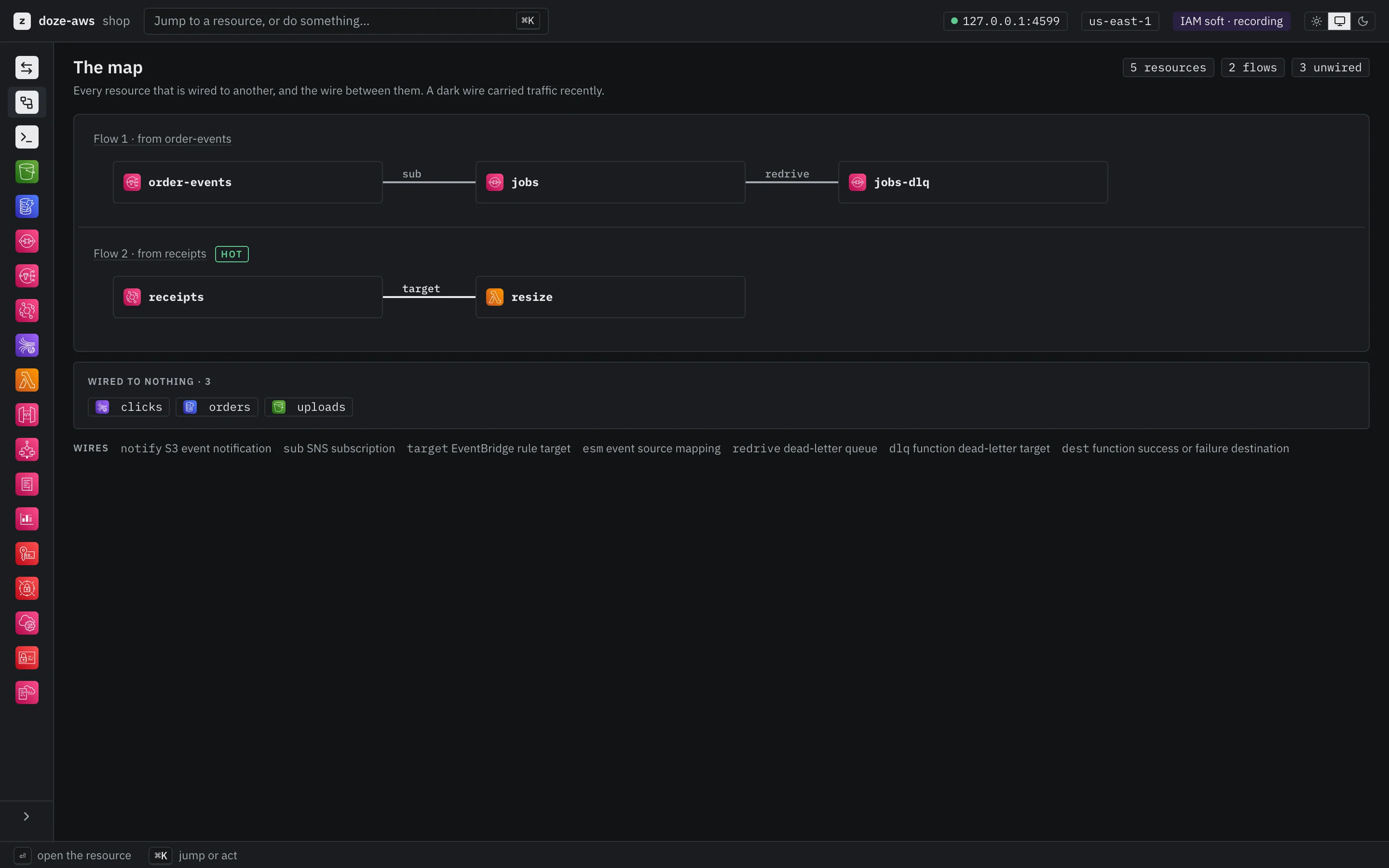
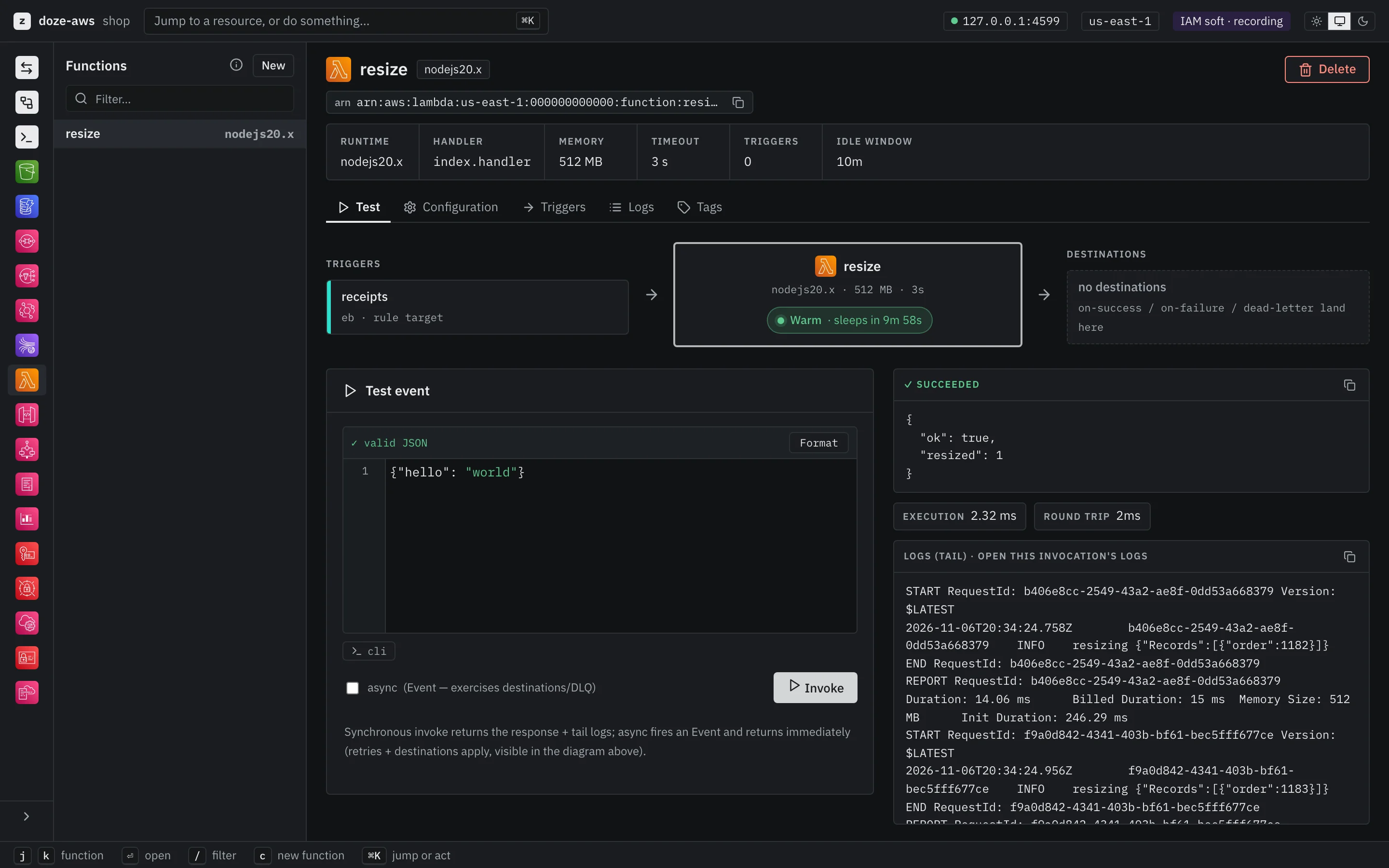
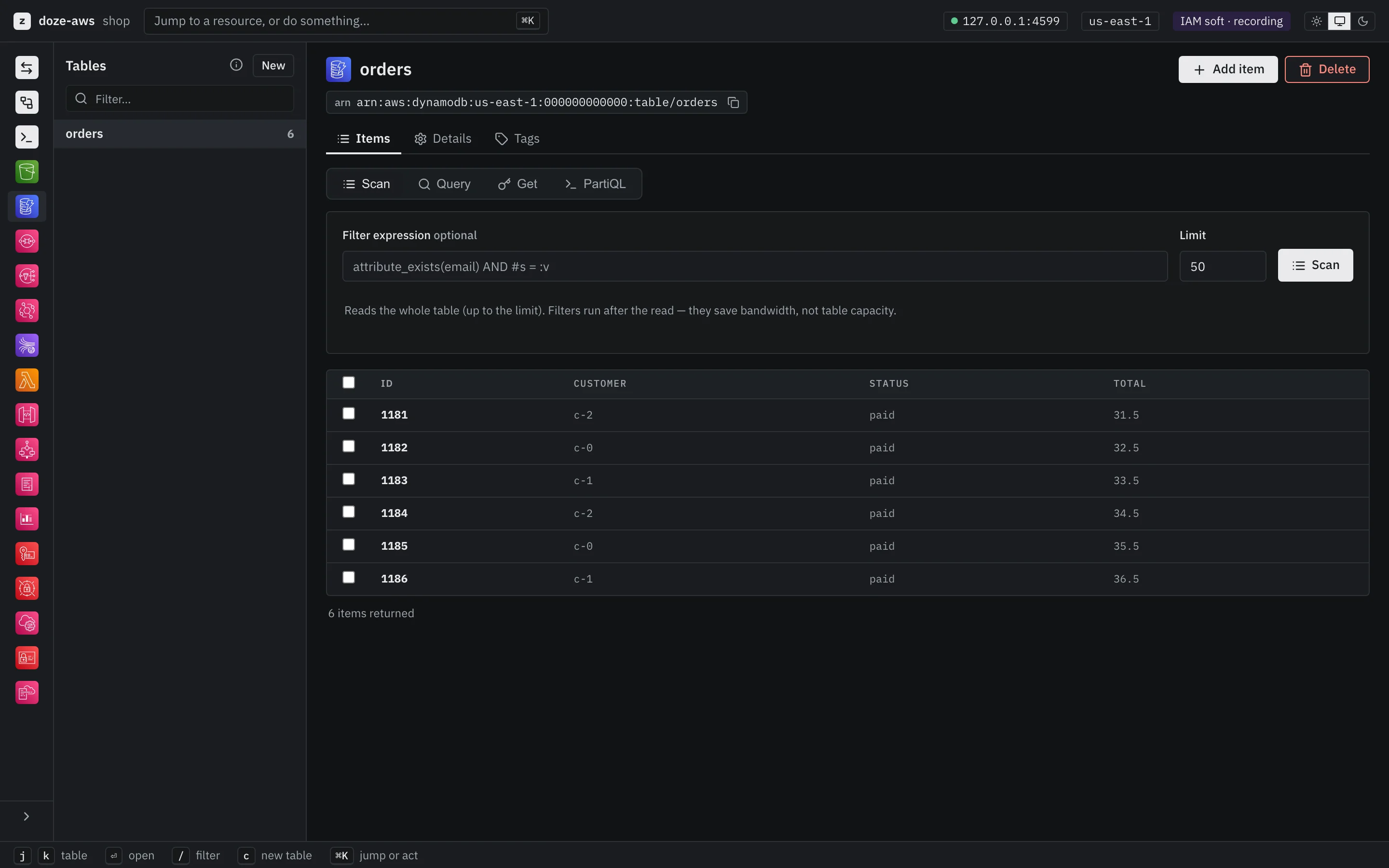
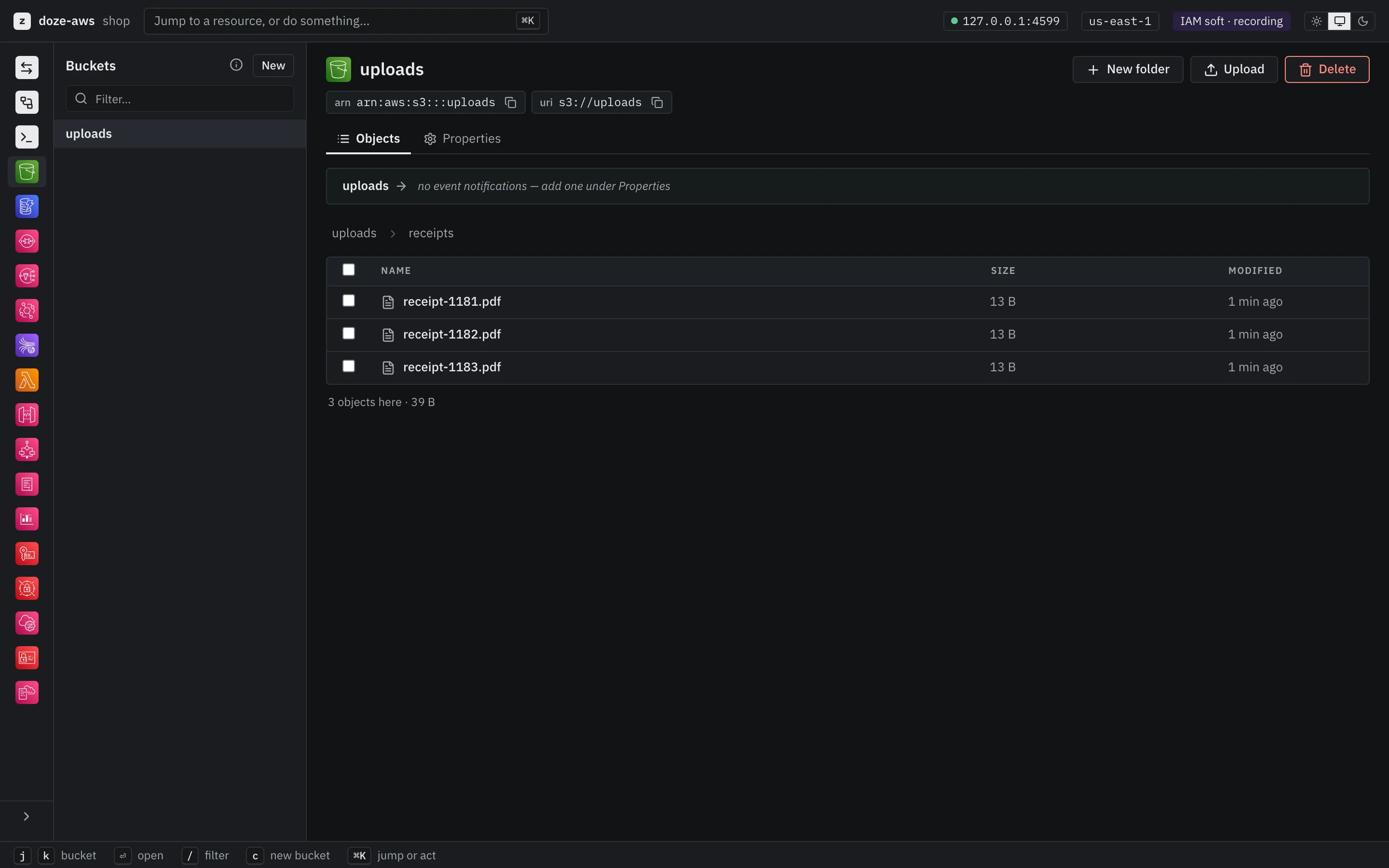
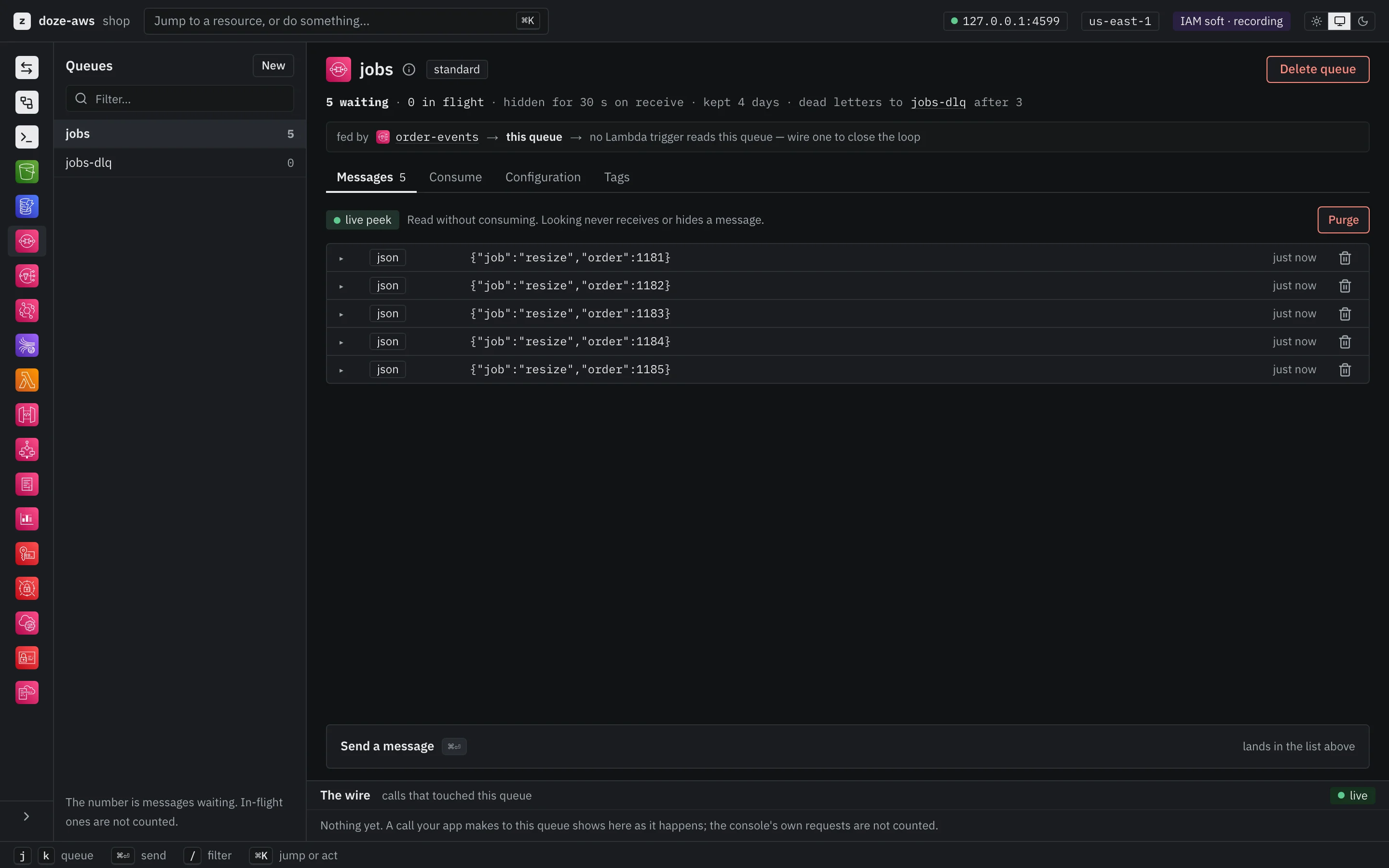
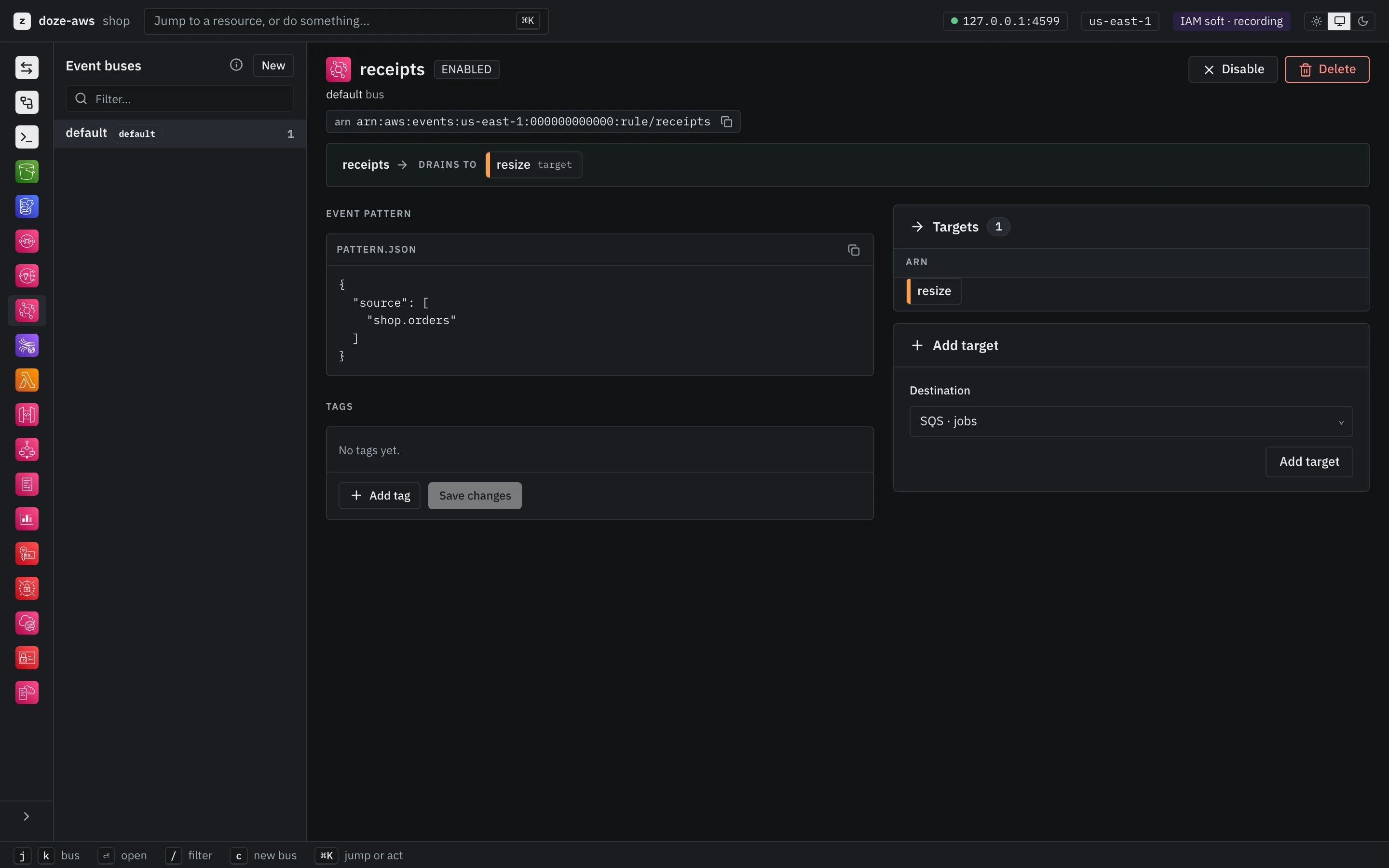
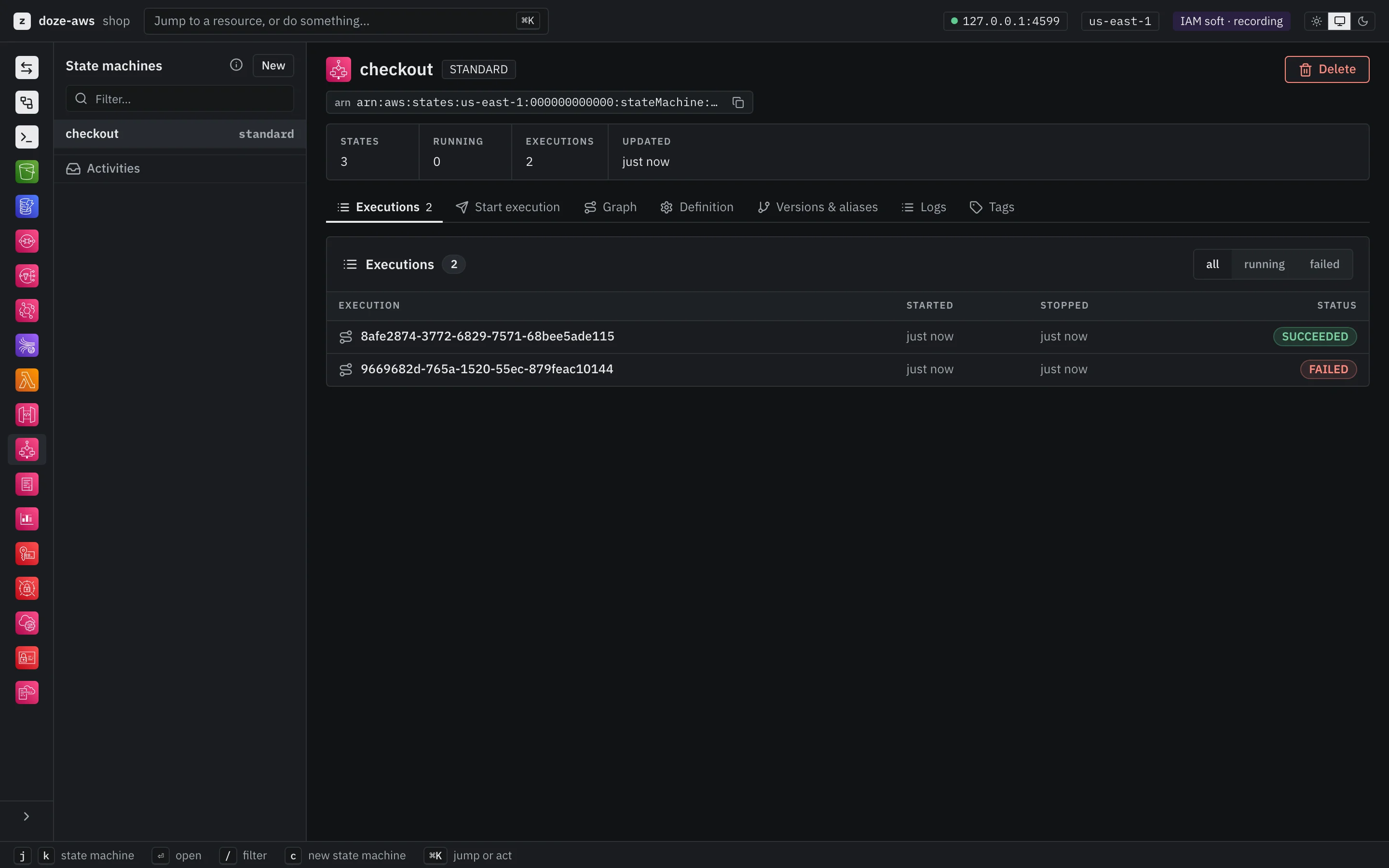
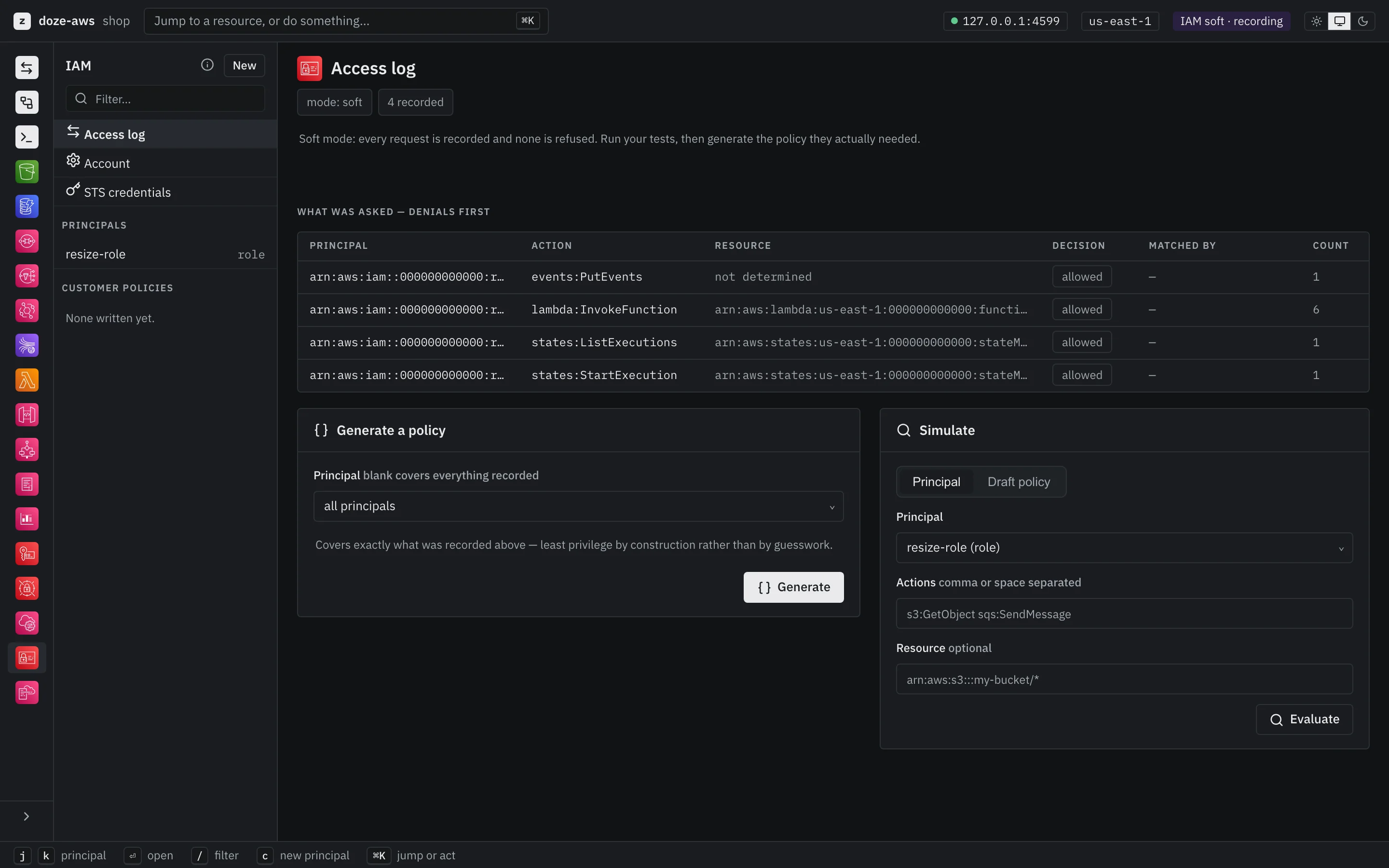
17 services that talk to each other.
An S3 upload fires EventBridge, which invokes a Lambda, which writes to DynamoDB, with IAM policies evaluated on the way, as on AWS.
- S3buckets, objects, notifications
- SQSFIFO, DLQ redrive, long polling
- SNSfanout, filter policies
- DynamoDBexpressions, GSI/LSI, transactions
- Lambdahost processes, no Docker
- Step FunctionsStandard and Express, JSONata
- EventBridgepatterns, schedules, targets
- API GatewayREST and HTTP APIs into Lambda
- IAMreal policy evaluation
- CloudFormationsam deploy, cdk deploy
- Kinesisresharding, no JVM
- CloudWatchmetrics, alarms
- CloudWatch Logsgroups, streams, tail --follow
- KMSreal stdlib crypto
- Secrets Managerversion stages, encrypted
- SSM Parameter Storeversions, labels, SecureString
- STSidentity, assume role
- All 17, in the docs →what each one does, and how faithfully
On its own, or inside a doze stack.
The same binary either way. On its own it answers on loopback. Inside doze it gets a name, wakes when your code calls and sleeps when it stops.
One command, one address.
Run doze-aws and point your tools at 127.0.0.1:4566; the console is at /_console/ on the same address. eval "$(doze-aws env)" sets up the shell you're in.
$ doze-aws
    endpoint  http://127.0.0.1:4566

$ eval "$(doze-aws env)"     # in another shell
$ aws s3 mb s3://receipts
make_bucket: receipts
 Inside doze
Buckets and queues, in the same file as the app.
doze add aws, and in Larder, our made-up example project, doze names it aws.larder.doze and hands each service its address. The Python fulfilment service works through pick lists on SQS with boto3; doze AWS stays asleep until one of them calls.
# doze.hcl, from the Larder example
module aws "aws" {
  port = 4566

  bucket "product-images" {}
  bucket "receipts" { versioning = true }

  queue "pick-lists" {
    dlq          = "auto"
    max_receives = 5
  }
}

# and in the app that uses it
AWS_ENDPOINT_URL = module.aws.url
A fidelity ledger for every service.
An emulator that is too permissive is the dangerous kind: your code passes here and fails on deploy. So each service states what really works, and every refusal AWS's own service models state is checked in CI.
| Service | Operations | Constraint cases |
|---|---|---|
| DynamoDB | 27 of 27 | 333 / 333 |
| EventBridge | 40 of 40 | 448 / 448 |
| IAM | 89 of 93 | 702 / 702 |
| Lambda | 47 routed | 612 / 621 |
4 of 17 shown · the full ledger →
What it isn't, and what's not yet proven
- Not checked against a live account yet. boto3 scenarios are written for every service; their recordings against real AWS are pending, and until they exist nothing here is called verified.
- Not more forgiving than AWS, on purpose. If it accepts something AWS refuses, that is a bug worth reporting.
- Not your cloud. No VPCs, custom domains or TLS termination: the operations that act on cloud infrastructure are declined, each with its reason.
- Nothing sent anywhere. No outbound connections of its own, no account, no telemetry, nothing outside the data directory you name.
doze AWS is not affiliated with Amazon Web Services. AWS and the service names are trademarks of Amazon.com, Inc. or its affiliates.
Part of the doze family. Works alone.
Three products, each its own download, each happy on its own. Together, doze runs the other two inside your stack and gives them names.
