



Change how the app looks and starts, see what doze set up on this machine, and put back a part that is missing.
Open Settings with ⌘,, Settings on Home, or Settings… in the
menu bar. It has three pages: General, Machine and About. Settings are saved as
you change them, in ~/.doze/desk/prefs.json.
General
Section titled “General”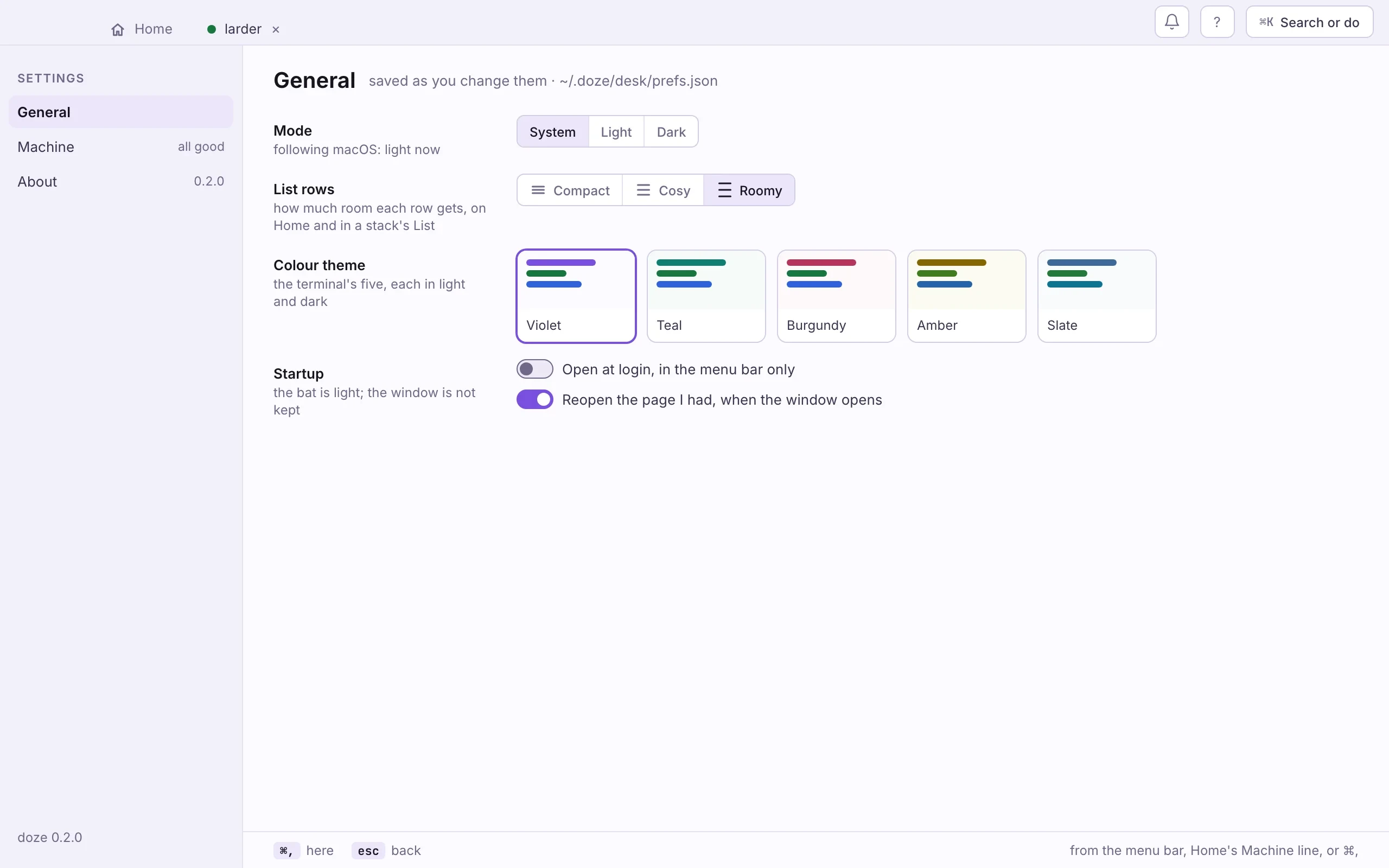
- Mode: System, Light or Dark. System follows the system as it changes.
- List rows: Compact, Cosy or Roomy, for Home and a stack’s List.
- Colour theme: the terminal’s five, violet, teal, burgundy, amber and
slate, each drawn light or dark as the mode says.
theme tealin ⌘K does the same. - Startup: Open at login, in the menu bar only starts the bat at login with no window. Reopen the page I had, when the window opens brings you back where you were.
Machine
Section titled “Machine”Machine is what doze set up on this machine, part by part: the same report
as doze doctor, with the fixes attached. The Machine line at the bottom of
Home is a short form of it.
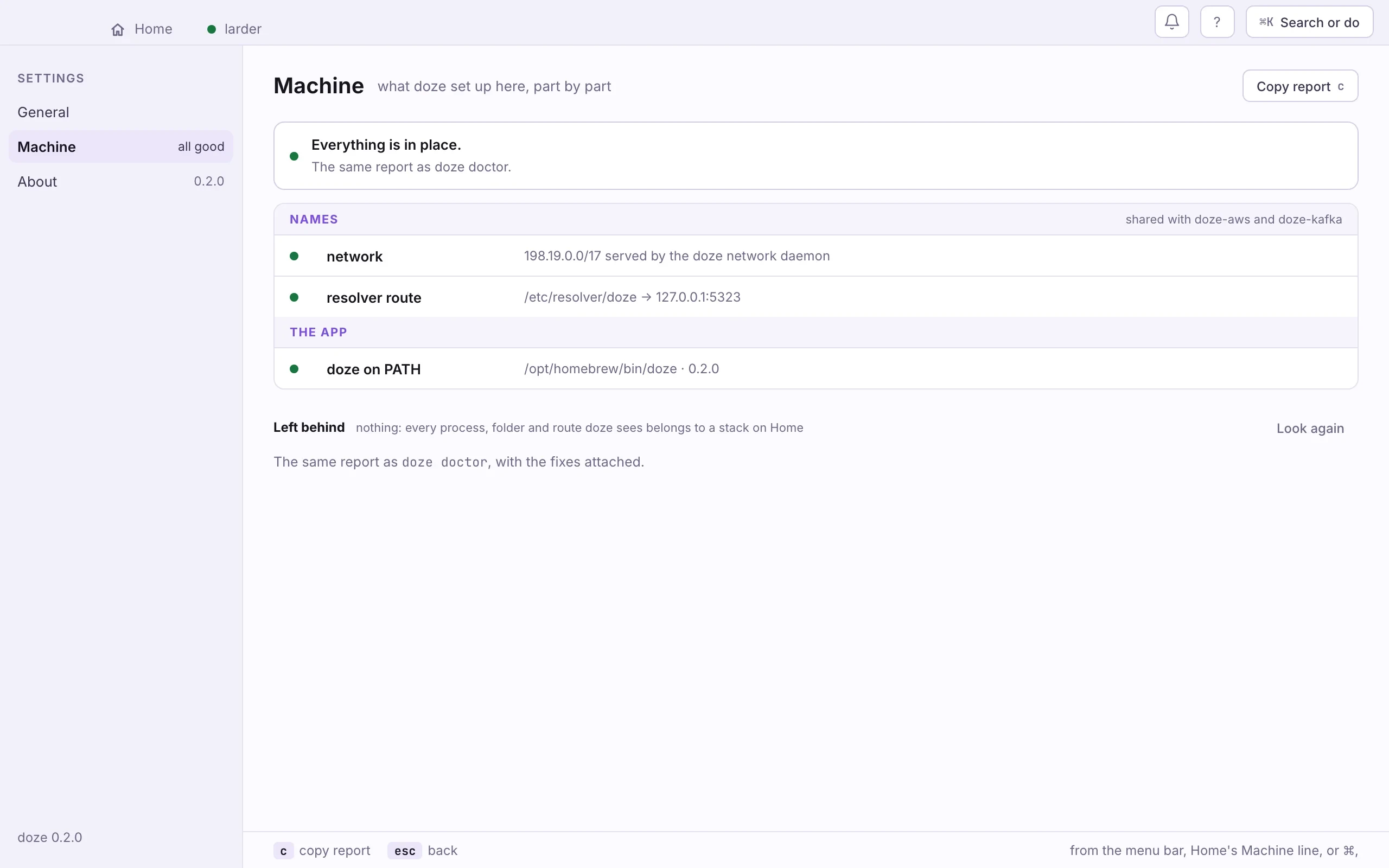
- The summary. Everything in place, or how many parts are not, with Repair.
- Names. The network daemon and the resolver route, shared with doze AWS and doze Kafka.
- The app. Whether a terminal finds doze on its PATH.
- Left behind. Processes, data and routes no stack on Home owns.
The parts:
- Names: the network daemon that gives each service its own loopback
address, and the resolver route for
.doze. See Install the app. - Domains: for each domain a stack declares, its route, and the local certificate authority. Shown only when some stack declares one. See Domains and HTTPS.
- The app:
dozeon yourPATH, so a terminal and scripts find it.
A part that is not in place says why, and Copy fix copies the command that puts it there.
Repair a missing part
Section titled “Repair a missing part”- Open Settings › Machine. The banner says how many parts are not in place.
- Press Repair and type your password into the system’s prompt: macOS’s own, or polkit’s on Linux. One prompt for each part that needs root.
- Read the report again. It refreshes when the repair ends.
On Home, the same repair is the Machine line’s Set up (one password).
doze doctor # the same reportdoze doctor --fix # the names setup, one sudodoze doctor --print-fix # the script, to read firstdoze trust # in a stack with domains: its routes and the authorityLeft behind
Section titled “Left behind”Left behind lists what stacks left out of step with doze: a process whose daemon died, a daemon for a stack no longer on Home, data with no stack, a route for a folder that is gone. Each has its own button. Clean up stops the stray processes and removes the stale routes in one go; it never deletes data. Data is deleted one folder at a time, after asking. Look again checks once more.
Copy report (c) copies the whole page as text, for a bug report.
The version, and whether a newer doze is out. Check for Updates… in the
menu bar checks now. To update, brew upgrade doze, or the new package;
running stacks keep running. The app and the command line are one binary, so
they update together.
Next: Apps, the first page about doze.hcl.