



Your first stack
Open an example project in the app, bring it up, and watch each service wake.
Open an example project in the app, bring it up, and watch each service wake.
You need the app (Install the app) and git. doze fetches Postgres, Valkey, Kafka and the local AWS itself. Larder’s own services are code, so they need what any checkout of them would: Go, uv for the Python ones, and bun for the TypeScript ones.
1. Get the example
Section titled “1. Get the example”git clone https://github.com/doze-dev/doze-examplesLarder is the larder folder. Everything it runs is in one file,
larder/doze.hcl: four shared services, a mail catcher, nine apps and the
tasks that prepare them.
2. Open it and bring it up
Section titled “2. Open it and bring it up”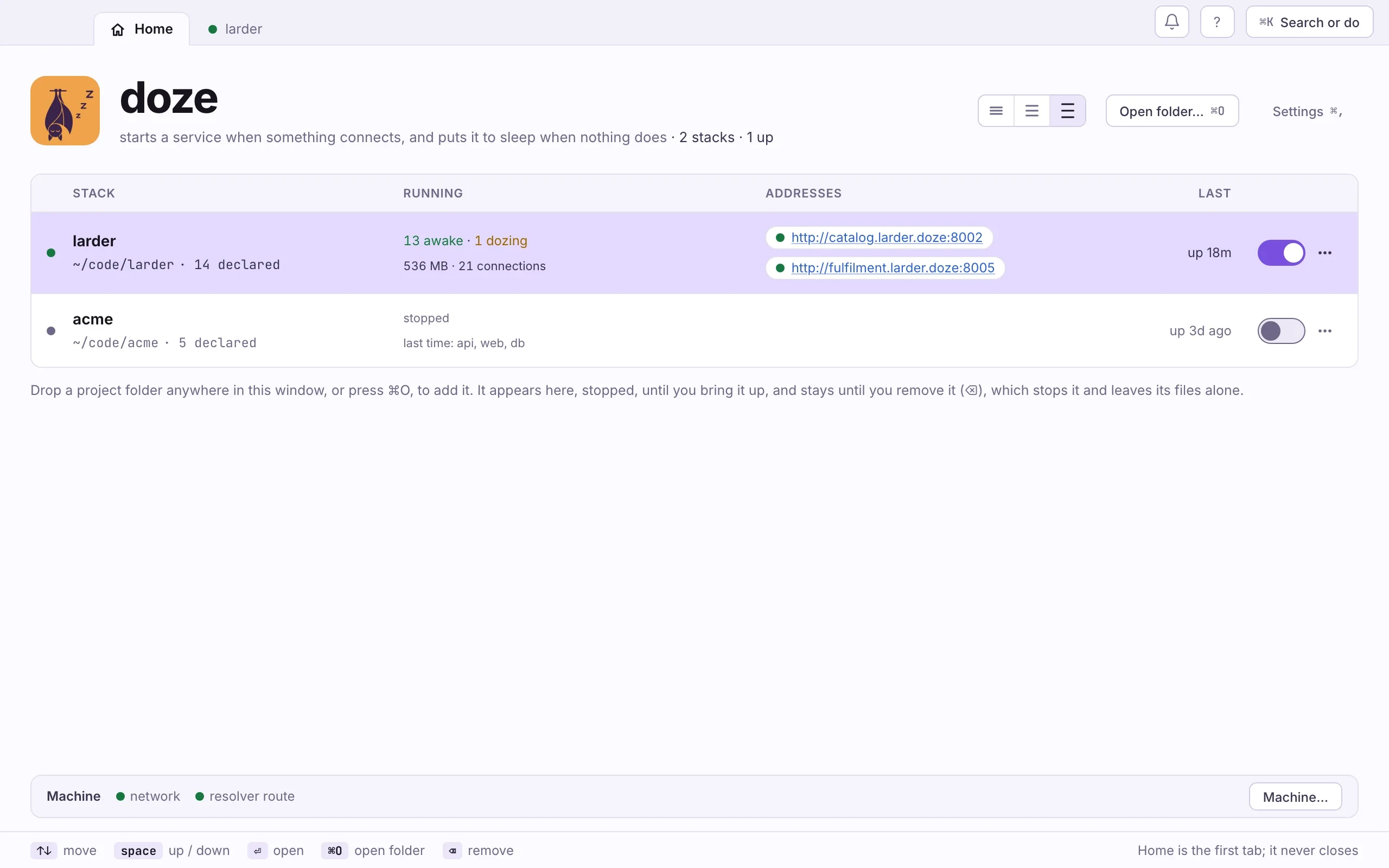
- Open doze. From Applications, or type
dozein a terminal. It opens on Home. - Drop the
larderfolder on the window, or press ⌘O and pick it. It appears stopped. Opening a folder never starts it. - Flip its switch on. The ⋯ beside it offers Start everything, or Choose what starts… to tick only the apps you will work on; what they need comes too.
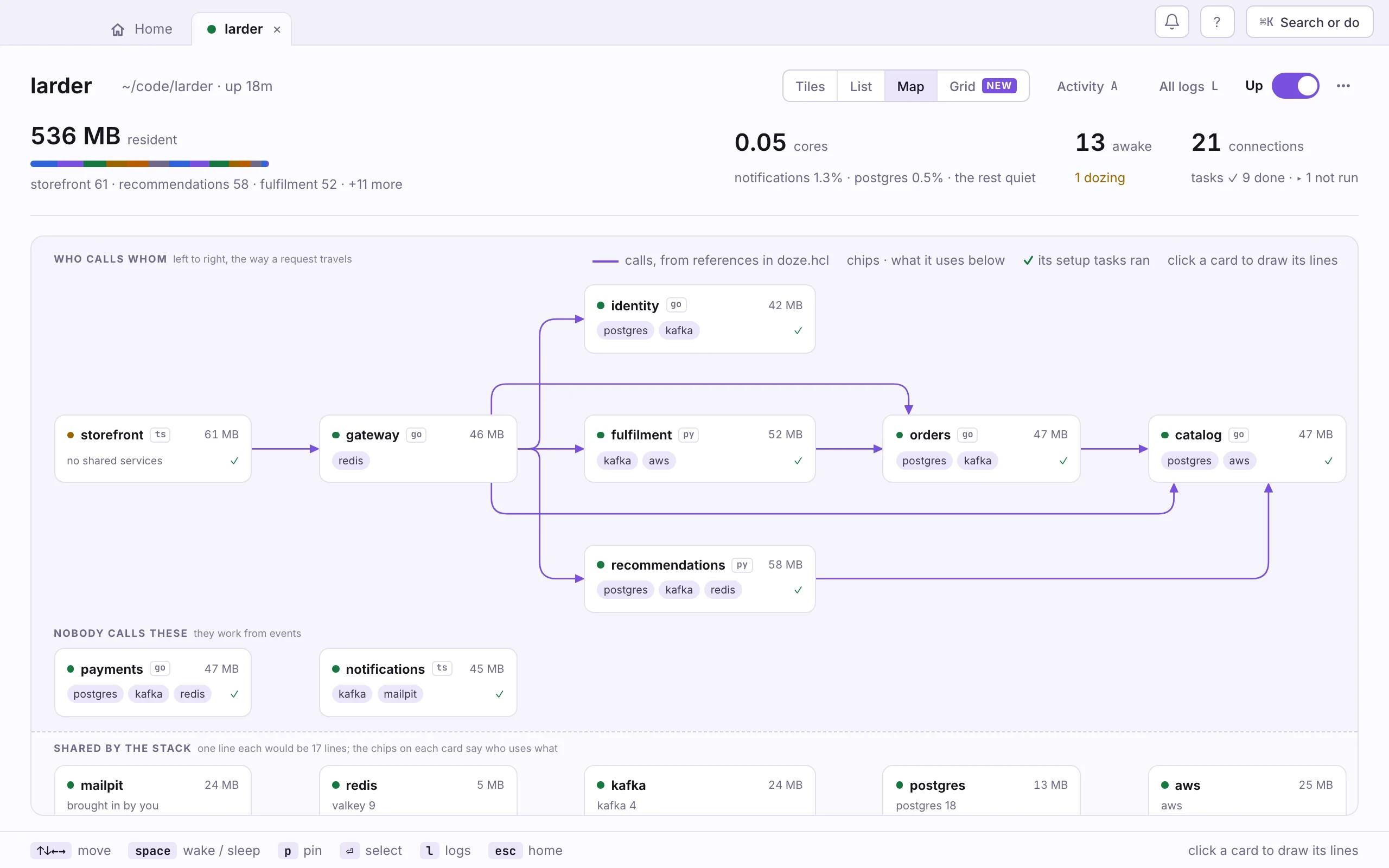
- Open the stack and press 3 for the Map. Each card shows a service, what it uses, and its memory as it wakes.
cd doze-examples/larderdoze updoze statusdoze up brings the stack up and returns when it is ready; each line says how
long that service took. doze status lists every service as awake, dozing,
waking or asleep. Add -w to keep it on screen.
The first up takes a while: doze downloads each engine once, and go run
compiles each Go service the first time. Later starts are quick.
Two things Larder asks of you:
- Its names. Larder turns on
<service>.larder.dozenames, which need the one-time setup from Install the app. On a machine without it, bring Larder up withdoze up --var names=false; every service then listens on127.0.0.1. - Its shelves. The catalog starts empty. Run
doze task seed-catalogonce, or open theseed-catalogtask in the app and press Run again.
Then open the storefront’s address from its card, and shop.
3. Walk away
Section titled “3. Walk away”After two minutes with nothing connected, a service goes to sleep. Its data
stays on disk, and its next connection wakes it. To keep one up longer, set
sleep on its block:
module postgres "postgres" { version = 18 sleep = "10m" # or "never"}Larder already does this for the services that read from Kafka: no request
would ever wake them, so they say sleep = "never". More in
Sleep and wake.
When you are done for the day, flip the stack’s switch off, or run doze down.
Next: Bring your own repo.