

Wakes your stack when you start. Sleeps it when you stop.
Part of the doze family. Works alone.
Your whole stack from one file, the same on every laptop, started from the app, and asleep the moment you stop. No VM humming all evening.
$ brew install --cask doze-dev/tap/dozeApache-2.0 · no account · no telemetry · macOS on Apple silicon, and Linux
Your first stack, in the app
doze is an app first. Three steps from a fresh install to a running stack, without opening a terminal.
The Library is home for every stack on this Mac. On a fresh one it shows three steps and two ways in, and the Machine line offers the one-password setup that gives your services names.
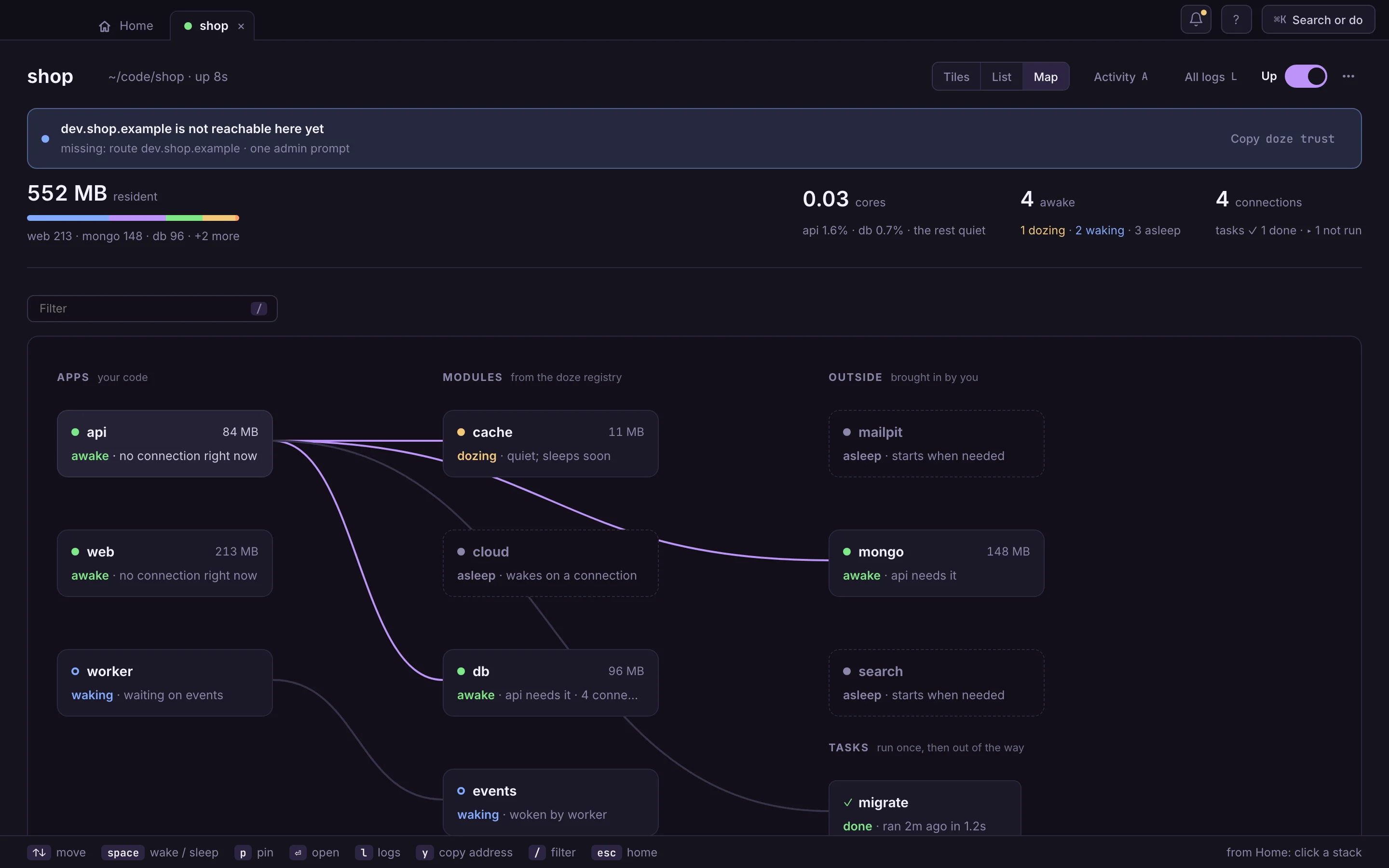
Drawn from the app's own screen · capture pendingdoze reads the folder’s go.mod and Go imports, package.json, compose files, a Makefile and the variables the code asks for, like DATABASE_URL, and lists what it found and where. Here, Larder’s gateway, before it had a doze.hcl. Nothing starts. Set it up from this repo writes doze.hcl, with the reason above each block.
One switch brings the stack up, each service after what it needs; what nobody calls goes to sleep. Next time Up starts what you had up last time. The menu beside it offers Start everything or Choose what starts…: tick the apps you’ll work on, and what they need comes too.
Drawn from the app's own screen · capture pendingPrefer the terminal? doze init && doze up in the folder does the same, and the app shows the stack either way.
Sound familiar?
npm run dev · uv run api · make worker · ./scripts/start-queue.shSeven things, seven ways to start them, each in a tab you have to remember.
With dozeOne doze.hcl says how each one starts. One switch starts them all.
Error: port 5432 is already allocatedAnd the ports you keep in your head: was the gateway 3000, 3001 or 8080?
With dozeEvery service gets a name, like gateway.larder.doze in Larder, our made-up example. Two projects on 5432, no clash.
a VM holding every database · used or notA virtual machine keeps every database awake from login to lid, whether you touched them or not.
With dozeNative processes that sleep when nothing calls them. Asleep means no process.
agent: “It looks like the database might not be running?”Quick, confident and guessing: which stack is up, what’s on which port, what you started yesterday.
With dozeYour agent asks doze instead. doze status --json is the same answer, for machines.
SETUP.md · Getting started (2023)Two services you’ve never seen, one renamed, and a step that only worked on someone’s old laptop.
With dozeThe file that runs the stack is the setup doc, so it can’t drift. Clone, doze up.
23 containers · still up · nobody callingTomorrow they’ll still be there. So will the ones from the project before.
With dozeWhatever nobody calls falls asleep by itself, data kept. Close the lid: nothing’s still running.
#dev-env · “dev box is down, platform team looking into it, no ETA”Onto remote dev boxes run by a platform team. Debuggers that won’t attach through the tunnel, port-forwards, logs in another tool. When the dev box is down, nobody writes code. You needed a platform team just to write code.
With dozeIt all runs on your laptop again, natively. A breakpoint just hits, and nobody’s pager is involved.
How it got moved, and back: the long way roundYour laptop is a beast
And somehow your dev environment runs in someone else’s cluster, behind a tunnel, a ticket and a platform team. You don’t need Kubernetes to run your own code. You need a stack that runs where you are, and goes to sleep when you stop.
Free and open source
Not a free tier of something paid, and not an open core with the good parts kept back. The app, the CLI, doze AWS, doze Kafka, every module and the registry they install from are on GitHub under Apache-2.0. Read it, build it, fork it, keep it.
Repeatable, on every laptop. doze.hcl says what runs. doze.lock pins every module to a version and a sha256 for each platform, checked against the registry's signature. Commit both, and a teammate's first doze up runs the stack you run.
$ git clone https://github.com/doze-dev/doze && cd doze && make builddoze, the app
Every service with a switch, a name and its memory. What’s awake, what’s dozing, what’s asleep, and who woke whom. Quit the app and your stacks keep running.
The app and the CLI drive the same stack. Scripts, CI and your agent get the same answers you see.
Take the tour of the app$ doze add postgres # writes the block into doze.hcl $ doze up # the whole stack, asleep until called $ doze status --json # the same answer, for machines
Your own domain
Sign-in providers won’t send you back to localhost subdomains or .test. Cookies, CORS and HSTS care which host they’re on. So put your real dev domain in doze.hcl, run doze trust once, and https://dev.acme.com is your laptop, padlock and every tenant subdomain included. No proxy to configure, no hosts file, no port in the URL.
app "web" {
  run     = "pnpm dev"
  port    = 3000
  domains = ["dev.acme.com", "*.dev.acme.com"]
}

$ doze trust   # once: one password prompt
The doze family
Each one wakes when called and sleeps when you stop. Use one, or all three together.
Wakes your stack when you start. Sleeps it when you stop.
Part of the doze family. Works alone.
Wakes AWS on your laptop. No account, no bill.
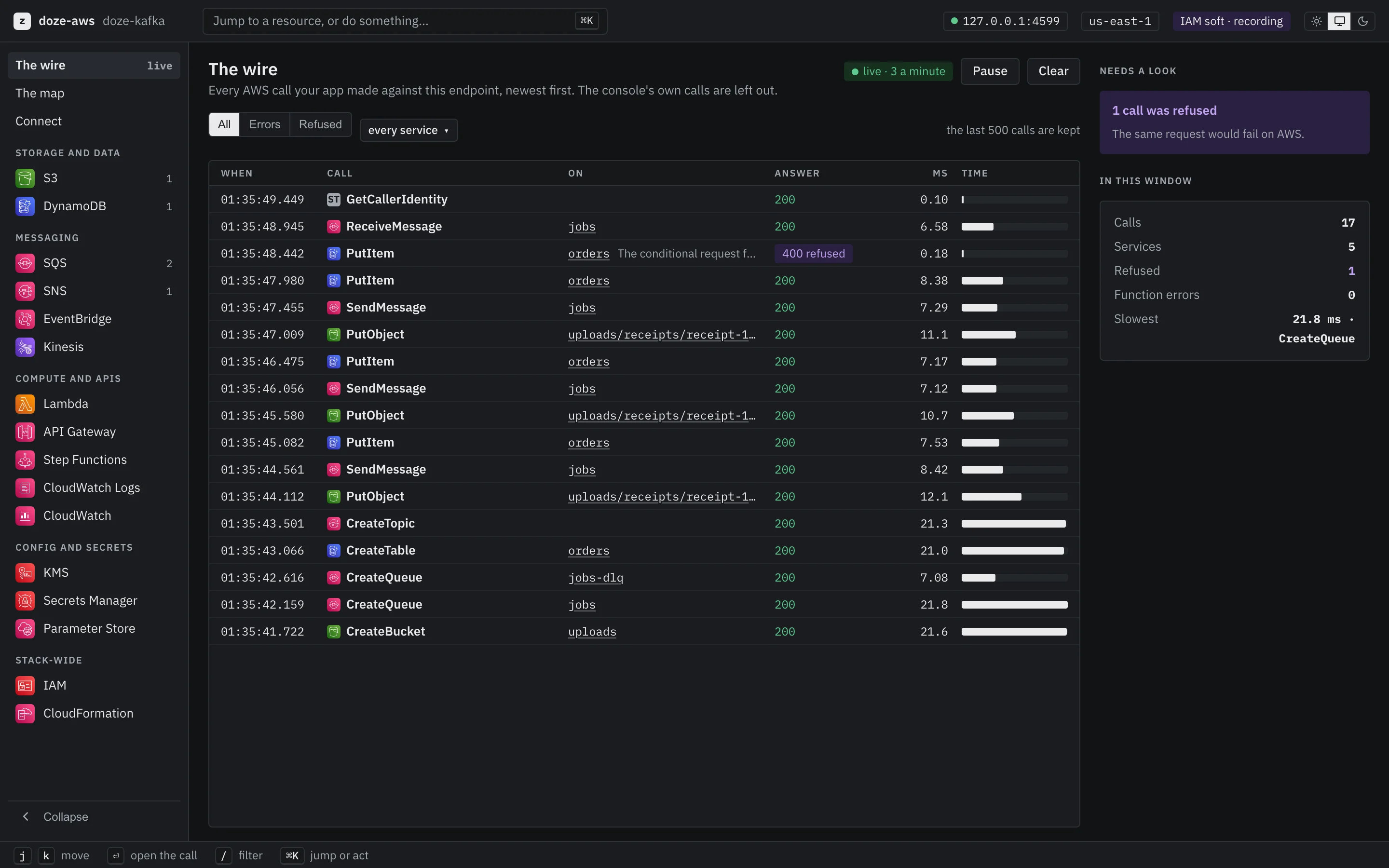
Part of the doze family. Works alone.
Wakes a Kafka broker. No JVM to put to bed.
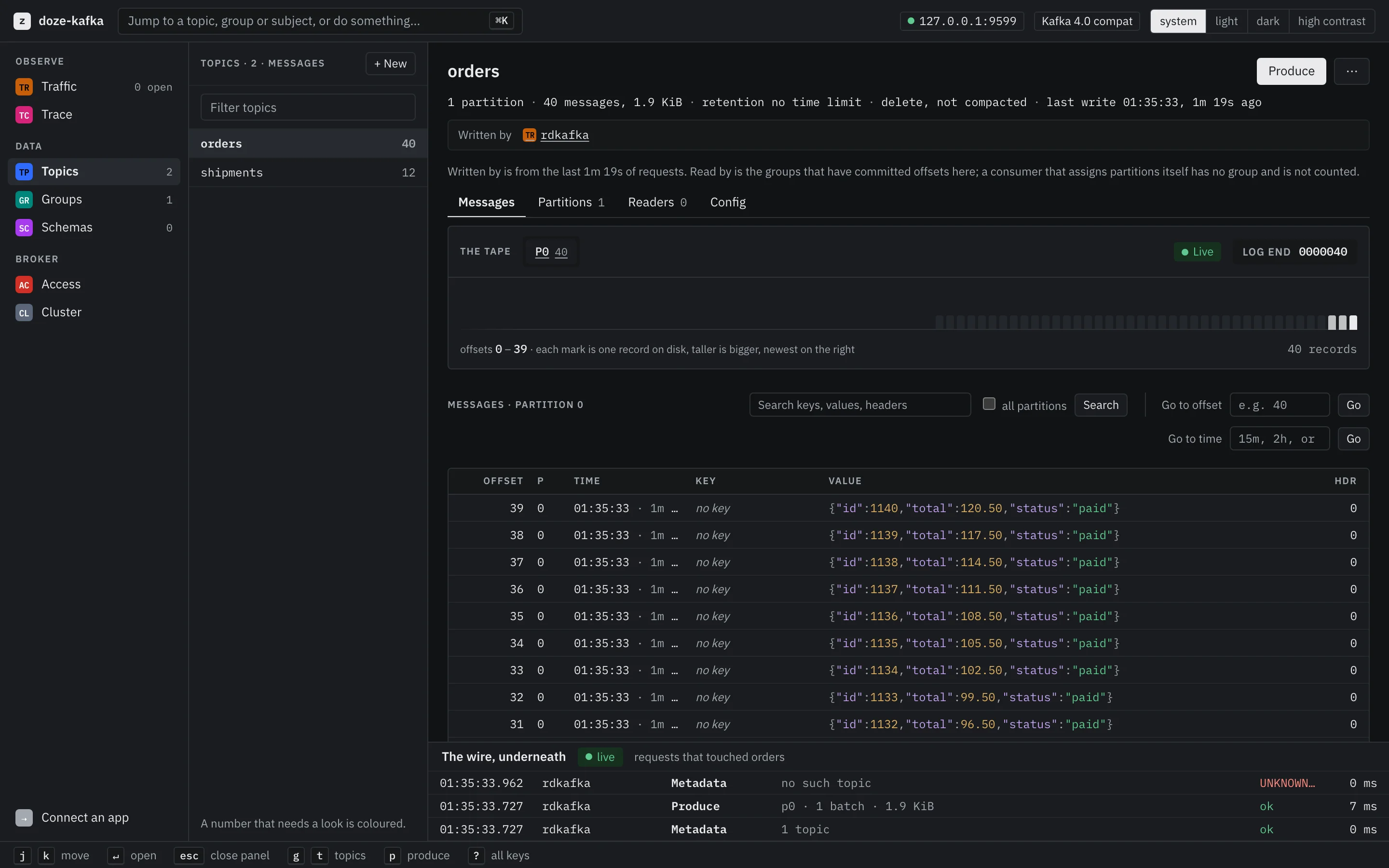
Part of the doze family. Works alone.
Numbers, with the method
Every figure says where it came from. The ones we haven’t measured yet say that instead. Asleep means no process: pgrep finds nothing.
$ make benchIn a clone of doze-dev/doze. It boots real engines on a fixture stack and measures idle memory and wake time.
test/bench TestLogStoreMemorytest/bench/budget.jsontest/bench/budget.jsonmake bench on yours.The registry
doze add writes the block. It sleeps until something calls it. No Dockerfile, no compose YAML, no setup doc.
doze add postgresdoze add mariadbdoze add ferretdoze add mongodoze add clickhousedoze add valkeydoze add kvrocksdoze add memcacheddoze add kafkadoze add temporaldoze add natsdoze add rabbitmqdoze add meilisearchdoze add opensearchdoze add mailpitdoze add awsdoze add minioextensions = ["vector"]extensions = ["postgis"]extensions = ["timescaledb"]extensions = ["pg_cron"]extensions = ["pgmq"]extensions = ["pg_search"]extensions = ["pg_duckdb"]Registry modules are signed and pinned in doze.lock; anything else, doze add runs from your install, a container or a download. All of it sleeps and wakes.
Everything wakes when called. Everything sleeps when you’re done.
$ brew install --cask doze-dev/tap/doze
