



Tasks
Run migrations, installs and seed scripts as tasks, before the apps that need them and again only when their files change.
Run your migrations, dependency installs and seed scripts as tasks: before the apps that need them, and again only when their files change.
A task is a command that runs to completion. An app or a
service keeps running; a task finishes, and doze
remembers how it went.
A migration
Section titled “A migration”Larder, the made-up shop the docs use as an example, migrates each service’s schema with a task:
task "migrate-catalog" {  run    = "go run ./platform/cmd/migrate services/catalog/migrations"  inputs = ["services/catalog/migrations/*.sql"]  env    = { DATABASE_URL = "postgres://catalog:catalog@${module.postgres.address}/postgres?sslmode=disable" }}
app "catalog" {  run   = "go run ./services/catalog"  port  = 8002  after = [task.migrate-catalog]}
after = [task.migrate-catalog]makes the task run beforecatalogstarts. If the task fails,catalogdoes not start.- The task references
module.postgres, so Postgres is woken first. inputsare globs, relative to the task’sdir. The task runs again when the content of a matching file changes; otherwise it is skipped as up to date.
When a task runs
Section titled “When a task runs”Each time something that lists it in after starts, and on doze up, doze
asks whether the task needs to run. It runs when:
- it has never run;
- it failed last time;
- it has
inputsand their content changed since its last run.
A task with no inputs runs once, and after it succeeds, not again until you
run it yourself. The task’s record, with its exit code and
the fingerprint of its inputs, is kept in .doze/state.json beside
doze.hcl.
An app that watches its files also watches the inputs of the tasks it
waits for: edit a migration, and the migration runs, then the app restarts.
Installs, keyed on the lockfile
Section titled “Installs, keyed on the lockfile”task "install-storefront" { dir = "apps/storefront" run = "bun install --frozen-lockfile" inputs = ["package.json", "bun.lock"]}
app "storefront" { dir = "apps/storefront" run = "bun run dev" port = 5173 after = [task.install-storefront]}The install runs on a fresh clone and again whenever the lockfile changes, never on a plain restart.
A task you run by hand
Section titled “A task you run by hand”task "seed-catalog" { run = "go run ./platform/cmd/migrate services/catalog/seed" manual = true after = [task.migrate-catalog]}manual = true keeps it out of every start: it runs only when you ask. Its
own after still holds, so seeding migrates first.
Run a task now
Section titled “Run a task now”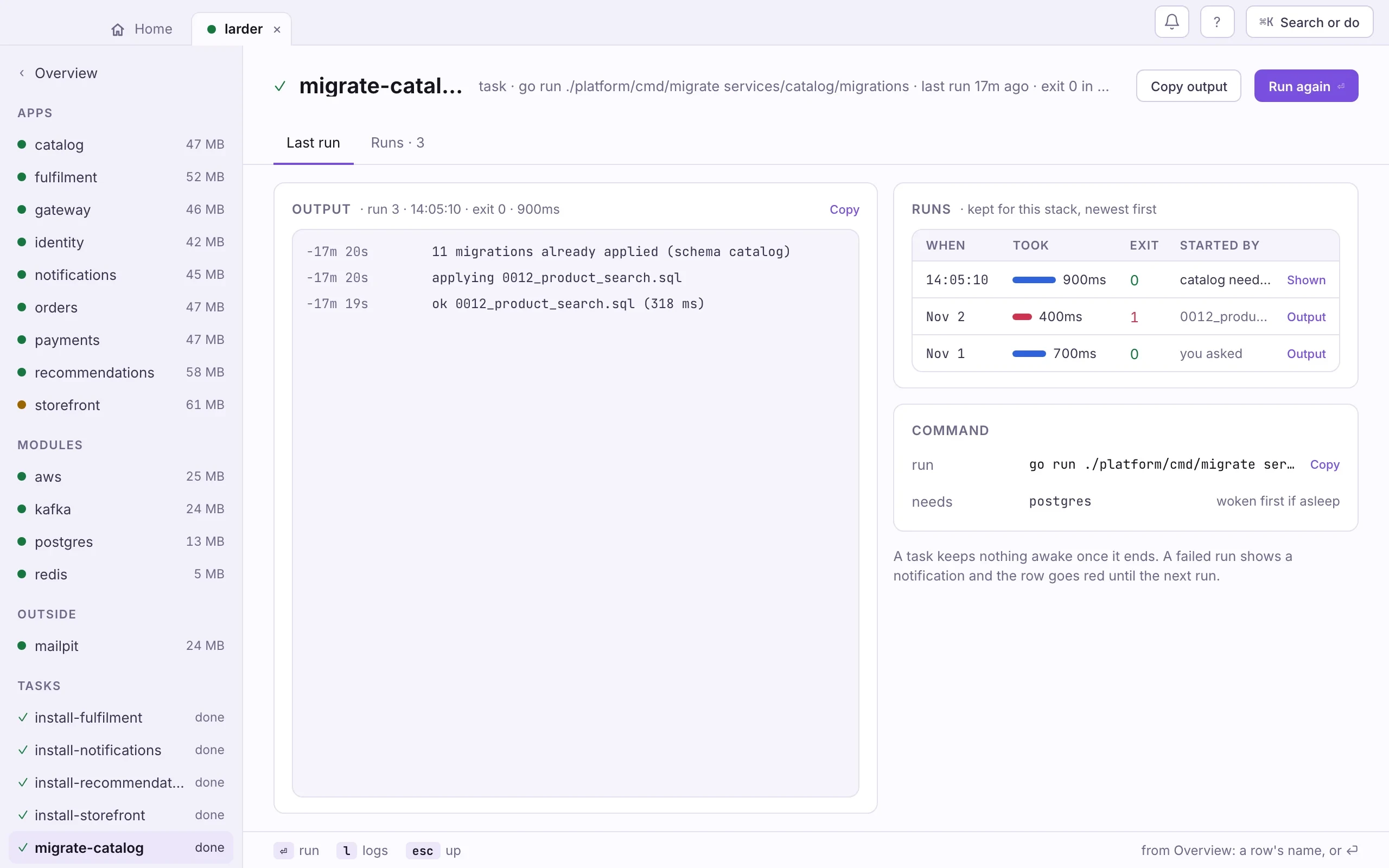
- Open the stack and find the task under Tasks in the sidebar.
- Click it. Last run shows what it printed; Runs lists the runs doze kept, with how long each took, its exit code and what started it.
- Click Run again, or press ⏎.
doze task # every task and how it last randoze task seed-catalog # run it now, whatever its statedoze task <name> wakes what the task references, runs it, and exits 0 if it
succeeded or 1 with its output if it failed. It is the only way to run a
manual task.
Migrations belong in tasks, not setup
Section titled “Migrations belong in tasks, not setup”An app’s setup runs once per data folder, which is the wrong trigger for a
migration: it would not run when you add a migration file. A task runs on the
change itself, before the app, and shows its runs in the app.
A task that is never run
Section titled “A task that is never run”doze warns about a task that is not manual and that nothing lists in
after:
task "seed" runs only by doze task seed: nothing lists it in after; add manual = true to say so, or task.seed to the after of what needs itA task takes run, dir, env, env_file, inputs, manual, after,
enabled, count and for_each. It has no port, no readiness and no
restarts: it runs to the end, once.