



When something breaks
What the app shows when a service crashes, a port is taken, or doze.hcl stops loading, and how to fix each.
Read what went wrong in the app and fix it: a crash, a port someone else holds,
or a doze.hcl that no longer loads.
The examples break Larder, the made-up grocery service the docs use, on purpose.
Where you hear about it
Section titled “Where you hear about it”The stack’s tab gets a red count, and so does the bell at the top right (⌘⇧N). The bell’s panel, Needs you, lists what is broken and each item’s fix. When the window is closed or on another page, the app sends a notification for a crash, a failed task, or a service that never became ready; see Menu bar and notifications.
A crash
Section titled “A crash”A service that exits soon after it starts is crashing. doze waits and tries again, five times by default, waiting a little longer each time. After the last try it is failed and waits for you.
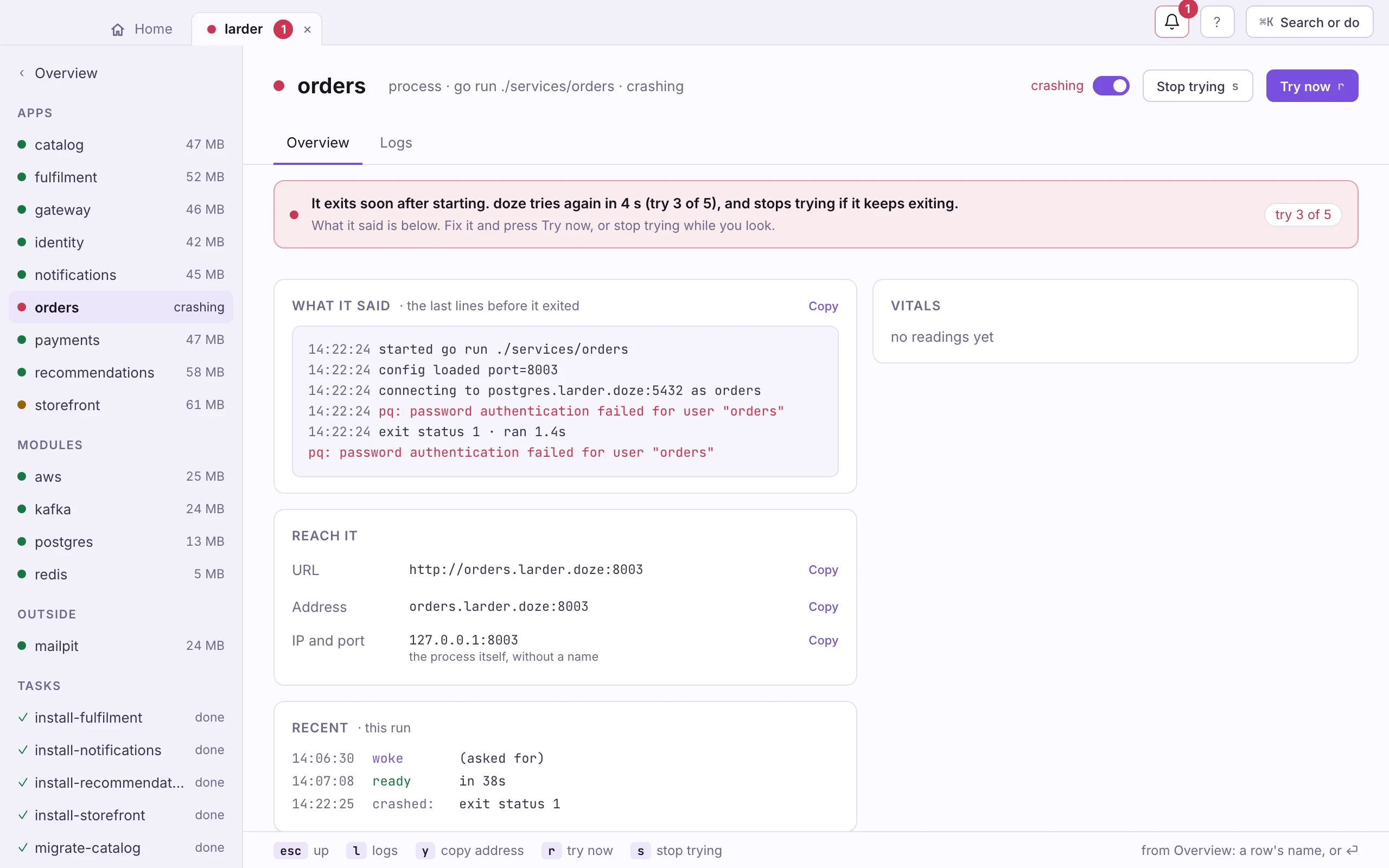
- A red count on the stack's tab and on the bell.
- The banner. Which try this is, and when the next one comes.
- What it said. The last lines before it exited, with the error in red.
- Try now or Stop trying. Stop trying turns the service off until you turn it on.
- Read What it said. Copy takes the lines with you.
- Fix the cause in your code or in
doze.hcl. - Press Try now (r). Or Stop trying (s) while you look, and flip its switch on when you are ready.
doze logs orders # what it printed, also while it is downdoze restart orders # try nowdoze off orders # stop trying; nothing wakes itdoze on orders # back into the runHow many tries, and how long between them, is the restart block of an app
or a service:
app "orders" {  run = "go run ./services/orders"
  restart {    max_retries = 10    backoff     = "2s"  }}
A port that is taken
Section titled “A port that is taken”When an app cannot listen because another process holds its port, the page names that process and its pid, and offers two ways out.
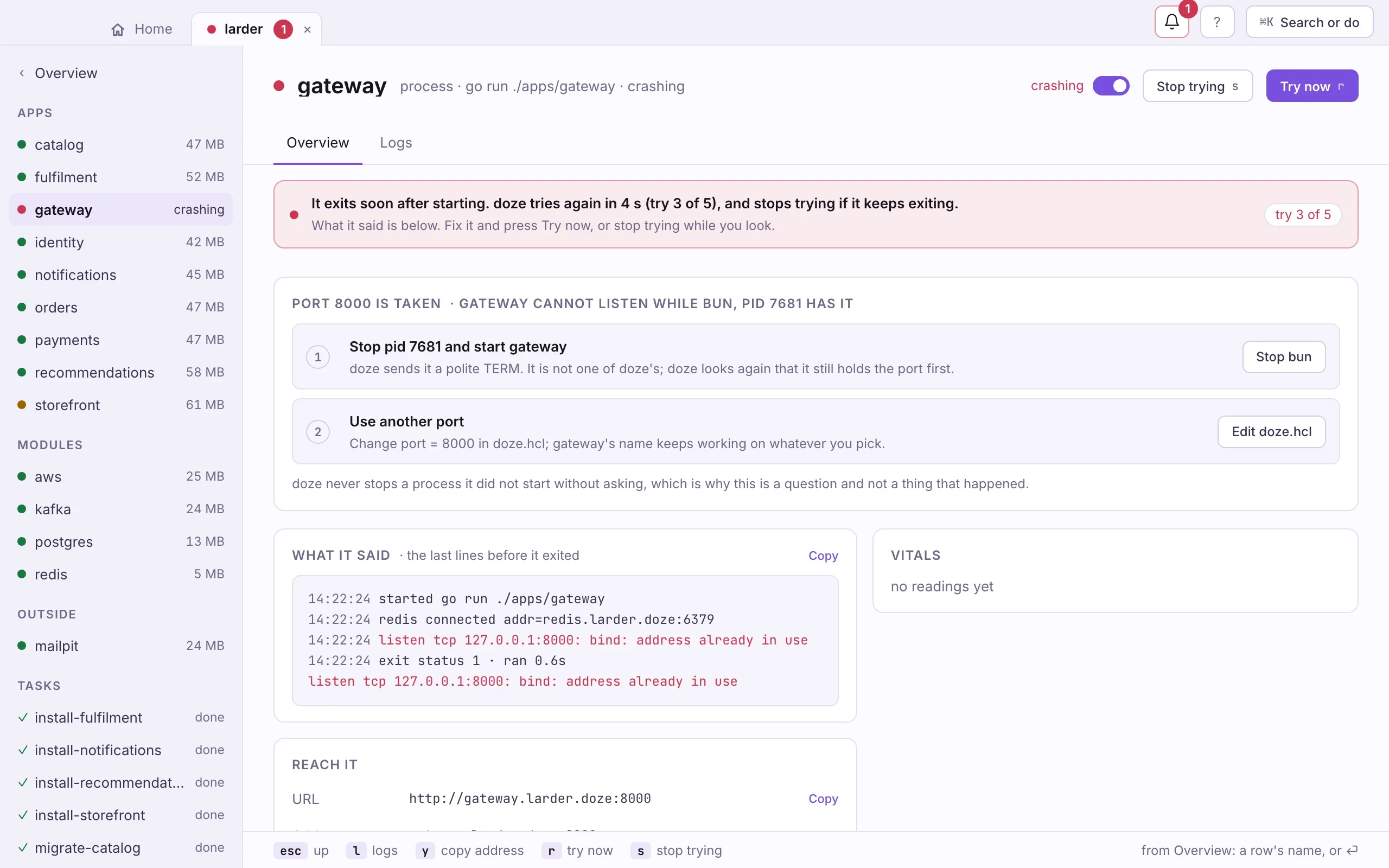
- Who has the port. The process and its pid.
- Stop it. A polite TERM, after doze checks it still holds the port.
- Use another port. Opens doze.hcl; the app's name keeps working on the new port.
doze never stops a process it did not start without asking, which is why this
is a question. From a terminal, lsof -i :8000 names the same process.
A doze.hcl that does not load
Section titled “A doze.hcl that does not load”Save a broken doze.hcl while the stack runs, and the stack keeps running as
it was. Its page says what is wrong, on which line, in the same words as
doze lint.
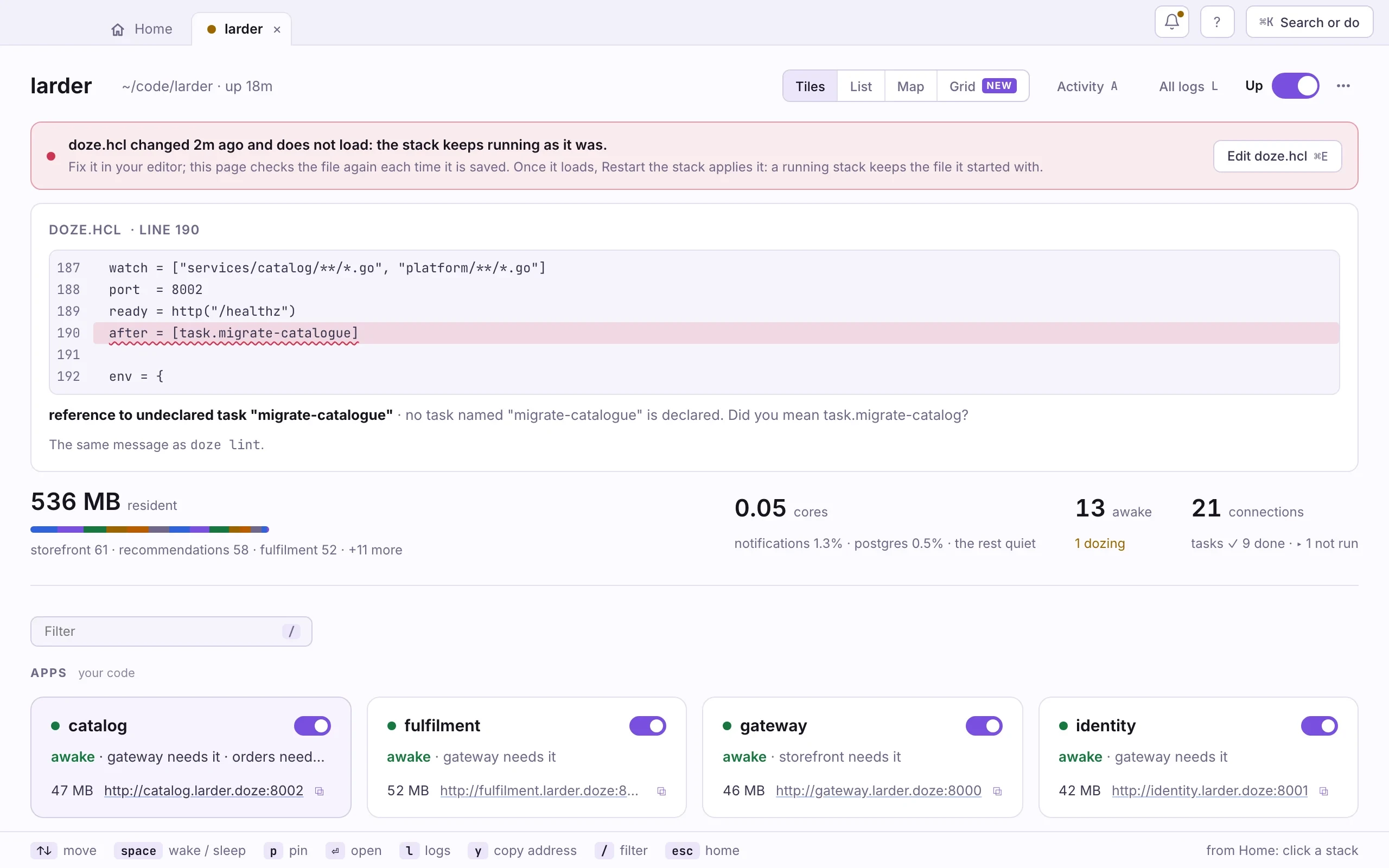
- The banner. When the file changed, and that the stack keeps running.
- The line. The part of doze.hcl that does not load, underlined.
- The message. What is wrong and, where it can, what you meant.
- Edit doze.hcl opens the file in your editor (⌘E).
Fix it in your editor. The page checks the file again each time you save. Once
it loads, Restart the stack applies it: a running stack keeps the file it
started with. A doze.hcl that changed and still loads offers the same restart.
doze lint # the same check, from a terminalMore problems and their fixes: Troubleshooting.
Next: ⌘K and keys.