



Names and addresses
How every service gets a name like postgres.larder.doze, how apps are served without a port, and what happens with names off.
Reach every service by a name that stays the same, such as
postgres.larder.doze:5432, and open your apps in a browser with no port.
A name per service
Section titled “A name per service”With names on, every service in a stack gets the name <name>.<stack>.doze:
stack = "larder"
defaults {  names = true}
module postgres "postgres" {  version = 18}
Larder’s Postgres is postgres.larder.doze:5432. (Larder is the made-up shop
the docs use as an example.) stack is the stack’s name; without it, the
folder’s name is used. A block name with characters a hostname cannot have is
lowercased, with each of them turned into -: app_dev becomes app-dev.
doze init writes names = true into the defaults block of a new
doze.hcl. Without it, names are off.
Its own address, on its usual port
Section titled “Its own address, on its usual port”Each name points at an address of its own, so every service keeps its engine’s usual port: two stacks can each have a Postgres on 5432, and so can one stack with two. The same name gets the same address every time.
doze url postgres# postgres://postgres@postgres.larder.doze:5432/postgres?sslmode=disableReferences give the same names, so the apps in the stack use them too:
module.postgres.address is postgres.larder.doze:5432
(References and env).
An app is also reachable at 127.0.0.1:<port> when that port is free on this
machine, for tools that expect localhost.
Apps without a port: the front door
Section titled “Apps without a port: the front door”An app or service that declares a port is also served at
http://<name>.<stack>.doze, with no port, through one listener on port 80
that every stack on the machine shares:
http://storefront.larder.doze → storefront, on its port 5173http://gateway.larder.doze → gateway, on its port 8000A module with a web interface of its own is served the same way: Larder’s AWS
is http://aws.larder.doze, with its console at /_console. routes = false
in a module block keeps it on its port only.
.doze names are plain HTTP. For https, on a hostname you choose, give the app
domains: see Domains and HTTPS.
Set up the machine once
Section titled “Set up the machine once”Names need a resolver for .doze and, on macOS, a small network daemon that
gives services their addresses. Setting them up asks for your password once.
The setup is shared with doze AWS and doze Kafka: whichever installs it first
installs it for all.
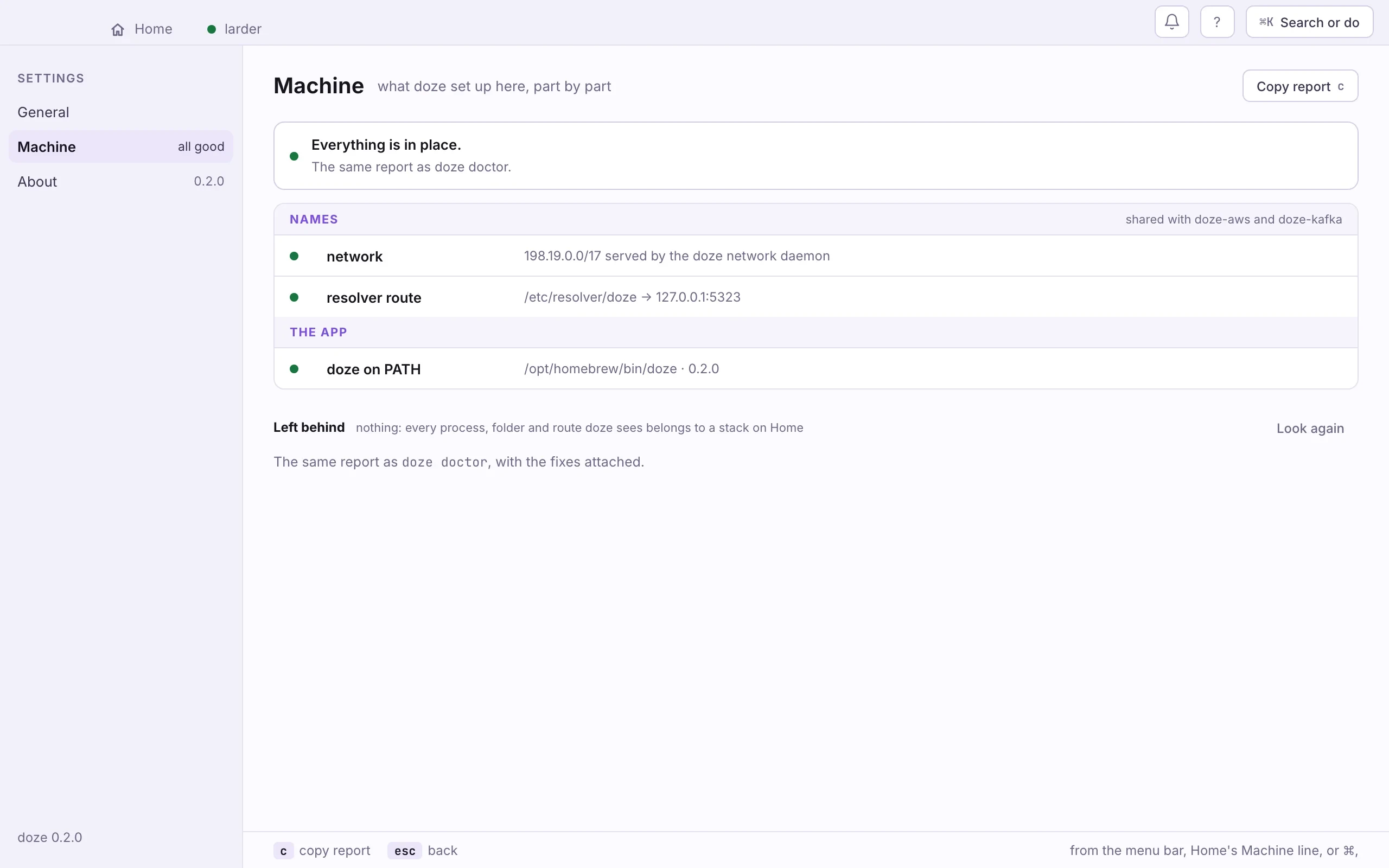
- Open Settings › Machine, from the menu bar, Home’s Machine line, or ⌘,.
- If a part is not in place, click Repair. It runs the same setup as
doze doctor --fix, behind the system’s password prompt.
doze doctor # what is in place, and what is notdoze doctor --fix # set it up (one sudo); the same as doze dns-setupdoze dns-setup --check # report only, no sudoOn macOS this installs /etc/resolver/doze and the dev.doze.netd network
daemon. On Linux it routes .doze through systemd-resolved or dnsmasq and
installs doze-netd.service; see Linux.
doze dns-setup --uninstall removes it all.
Until the machine is set up, services listen on 127.0.0.1 and two of them
cannot share a port. doze says so when they try:
db and legacy both use port 5432, but this machine is not set up to give each service its own address — run `doze doctor --fix` once (needs sudo), or give them distinct portsNames off
Section titled “Names off”defaults { names = false}With names off, everything is 127.0.0.1:<port>, there is no front door,
and every service needs a port of its own; two on one port is an error that
names both. References and doze url give 127.0.0.1 addresses instead.
Larder makes names a variable, so a machine without the setup can still run it:
variable "names" {  type    = bool  default = true}
defaults { names = var.names}doze up --var names=falseDOZE_ZONE=off turns names off for every doze program at once, whatever the
stack says: useful in CI or a container that has no use for names.